Launchpad maintains a comprehensive log of all server tasks and user activities, accessible directly through its dashboard. This guide shows you how to access and review these logs to monitor your server operations and configuration changes.
How to Check Server Task Logs
-
Step 1: Log in to Launchpad
To begin, open your preferred web browser and navigate to the Internetport.se website. Click on the "Login" button located at the top right corner of the homepage. Enter your username and password when prompted. If you have two-factor authentication enabled, you will also need to enter a verification code sent to your mobile device.
-
Step 2: Navigate to Tasks
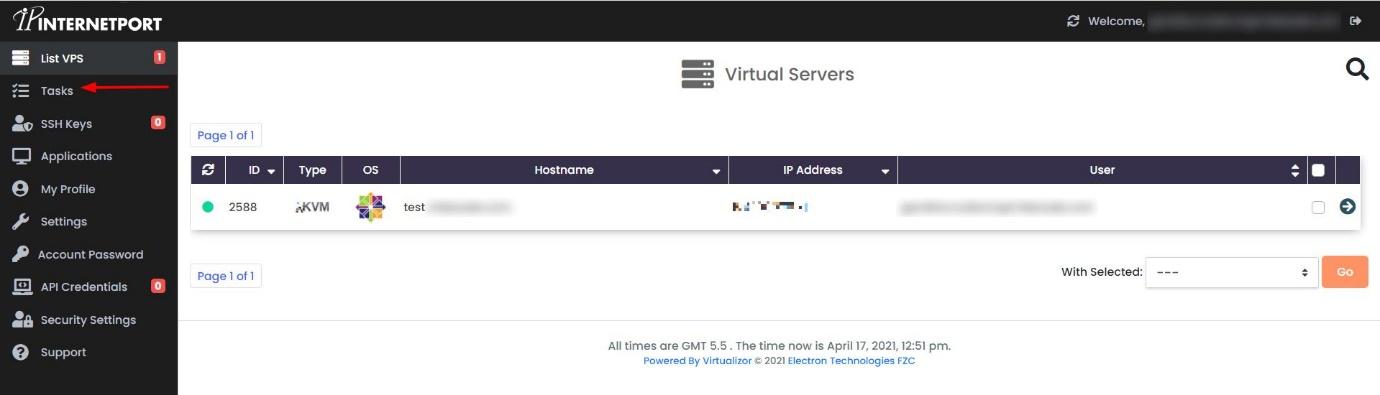
Once logged in, you will be directed to the Launchpad dashboard. Look for the navigation menu on the left side of the screen. This menu contains various options such as "Overview," "Servers," and "Billing." Scroll down or use the search function within the menu to find and click on the Tasks option.
Clicking on "Tasks" will take you to a new page dedicated to displaying all server-related activities.
-
Step 3: Review the Task Log
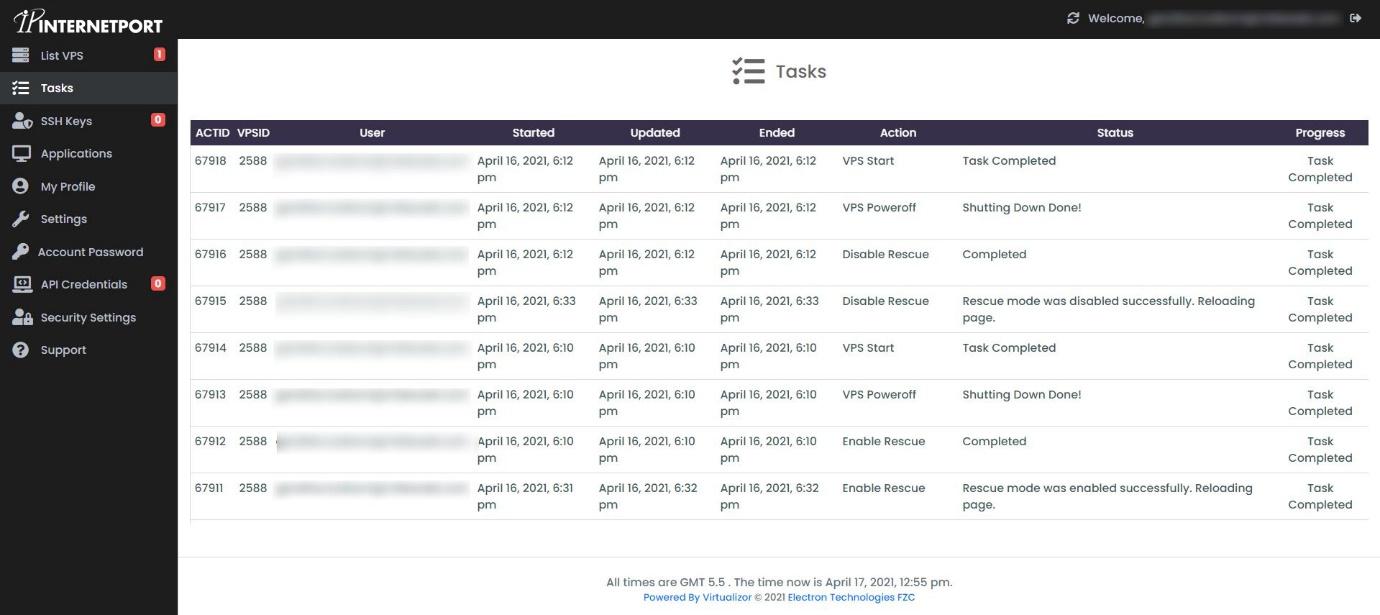
The Tasks panel will open, displaying a complete log of all server tasks in list format. You can review task status, timestamps, and details for each operation. The log entries are typically sorted by date and time, with the most recent activities appearing first.
To filter the log entries, you can use the search bar provided at the top of the Tasks panel. Enter keywords such as "backup," "restart," or the name of a specific server to narrow down your results.
For more detailed information about a particular task, click on the entry in the list. A pop-up window will appear, showing additional details including the user who initiated the task, any error messages, and the full command executed.
This allows you to monitor your server activities and configurations at any time, ensuring that all operations are proceeding as expected.