This guide shows you how to update your personal information such as name, email, or contact details in the Launchpad Dashboard. Keeping your profile up to date ensures accurate communication and account management.
How to Update Your Details
-
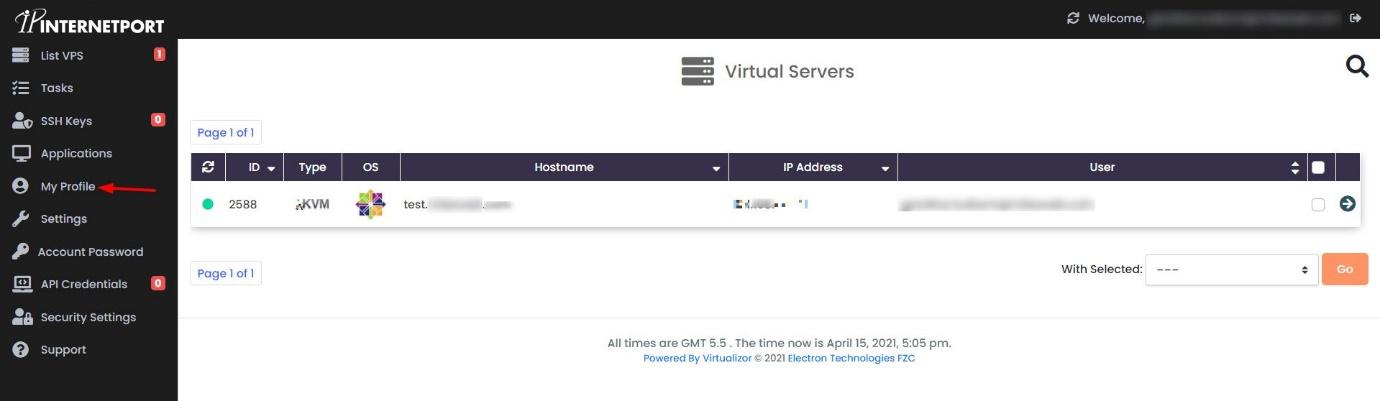
Step 1: Access Your Profile
To begin, open your web browser and navigate to the Launchpad Dashboard. Enter your login credentials to access your account. Once logged in, look for a menu or dropdown labeled "My Account" or "Profile" on the top navigation bar or sidebar. Click on it and select "My Profile" from the options provided.
Tip: If you cannot find the "My Profile" option, ensure that you are logged in to your account and check if there is a different label for accessing user settings.
-
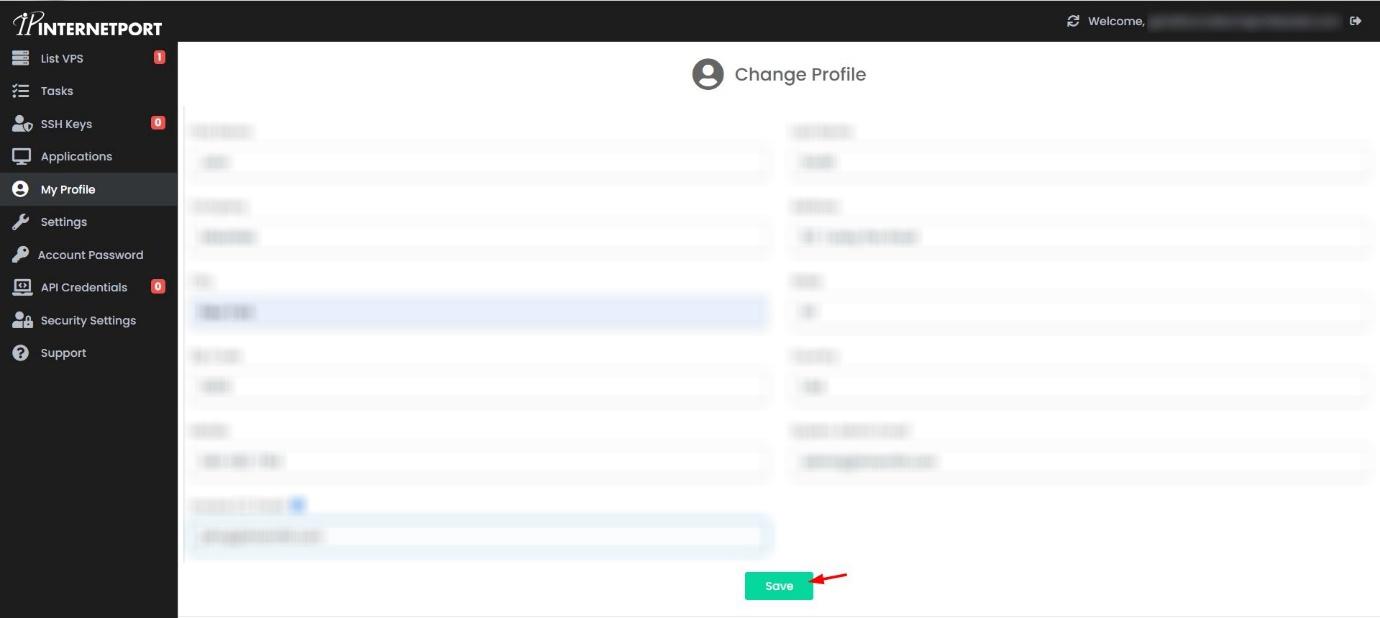
Step 2: Edit and Save Your Information
Once you have navigated to the "My Profile" section, you will see several fields containing your current information. To update your details, click on the edit icon or button next to each field. Enter your new information in the text boxes provided.
For example, if you need to change your email address, find the email field, click on the edit icon, and type in your new email address. Repeat this process for any other details you wish to update, such as your name or phone number.
After entering all your new information, scroll down to the bottom of the page and click on the "Save" button. A confirmation message will appear, indicating that your personal details have been successfully updated.
Important: Ensure that you double-check all the information before saving to avoid any errors in your profile.
If you encounter any issues while updating your personal details or if the process is unclear, please contact our support team for assistance. They are available via email at support@internetport.se or through the live chat feature on our website.