Restarting your server through the Plesk Control Panel is a straightforward process that can be completed in just a few clicks. This guide walks you through the exact steps to safely restart your server, from logging into Plesk to confirming the restart action. It's important to note that restarting your server will temporarily interrupt any services hosted on it, so ensure that this maintenance window aligns with your schedule and that you have saved all necessary work.
How to Do It
-
Step 1: Log into Plesk Control Panel
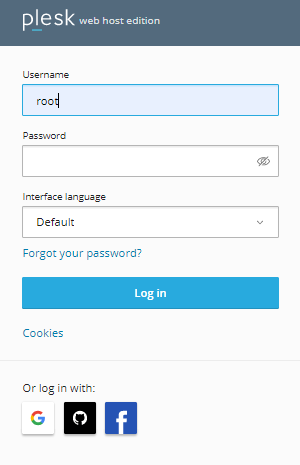
Access the Plesk Control Panel by logging in with your credentials. You can usually find a login link on your hosting provider's website or dashboard. Enter your username and password when prompted.
-
Step 2: Navigate to Tools & Settings
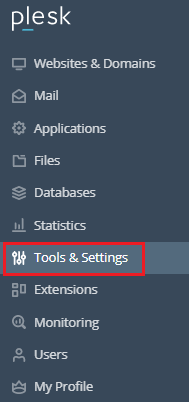
Once logged in, locate the left-hand navigation menu. Click on Tools & Settings. This section contains various administrative tools and settings for your server.
-
Step 3: Select Restart Server
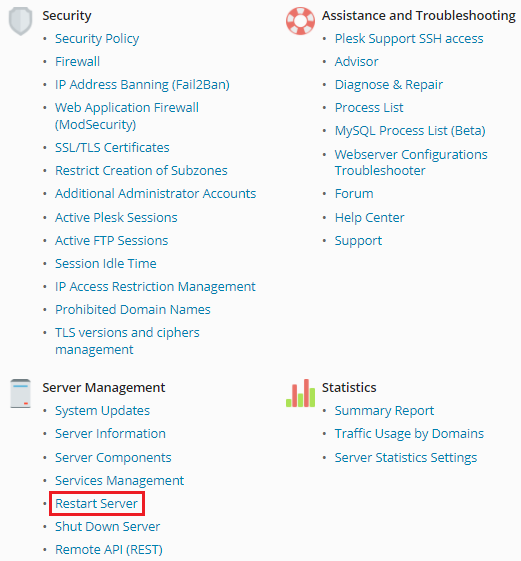
In the Tools & Settings section, scroll down to find the Server Management category. Click on it and then select Restart Server. This option will allow you to initiate a server restart.
-
Step 4: Confirm the Restart
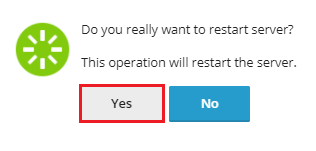
A confirmation dialog will appear, asking if you are sure you want to restart the server. This is a safety measure to prevent accidental restarts. Click the Yes button to proceed with the restart.
-
Step 5: Wait for Server Restart
The server will now undergo a restart. This process typically takes a few minutes to complete, during which time all services hosted on the server will be unavailable. You can monitor the status of your server through your hosting provider's dashboard or by attempting to access your website.
Additional Tips
- Communicate with Your Team: If you are managing a team, inform them about the scheduled restart to minimize confusion and downtime impacts.
- Check for Updates: Before restarting, ensure that all necessary updates and patches have been applied to prevent any issues after the restart.
- Monitor Server Logs: After the server restarts, check the server logs in Plesk to ensure there are no errors or warnings that need addressing.