Webalizer is a built-in cPanel tool that provides detailed statistical reports about your website traffic. It tracks hits, file requests, visits, and page loads, helping you monitor and optimize your web traffic effectively.
How to Access Webalizer Statistics
-
Step 1: Log in to cPanel
To start, open your preferred web browser and navigate to the login page of your cPanel account. Enter your username and password in the respective fields and click on the "Log In" button. If you have two-factor authentication enabled, make sure to enter the verification code as well.
-
Step 2: Navigate to Webalizer
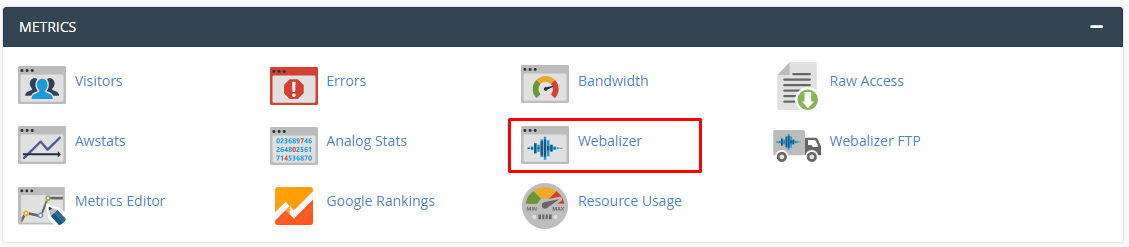
Once logged in, the cPanel dashboard will appear. Scroll down to find the METRICS section on the left-hand side of the interface. Click on the Webalizer application icon to open it.
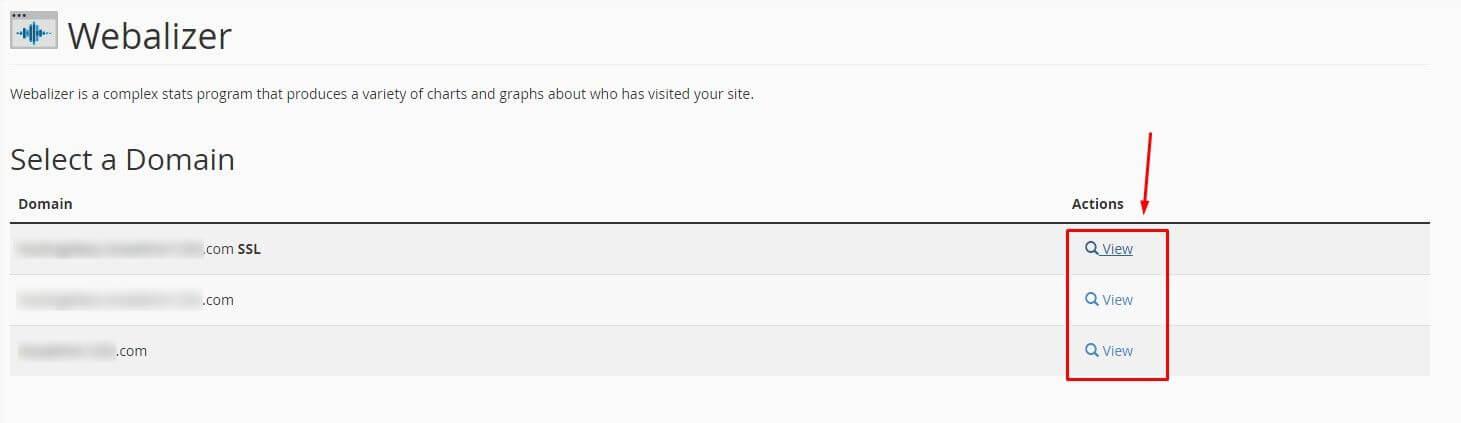
The Webalizer pane will open, displaying all active domains on your hosting account in a list titled Select a Domain.
-
Step 3: Select a Domain
In the Select a Domain section, you will see a list of all domains associated with your hosting account. Locate the domain for which you want to view statistics and click on the View button in the Actions column next to it.
Alternatively, you can use the search bar at the top of the domain list to quickly find and select your desired domain.
-
Step 4: Review Usage Statistics
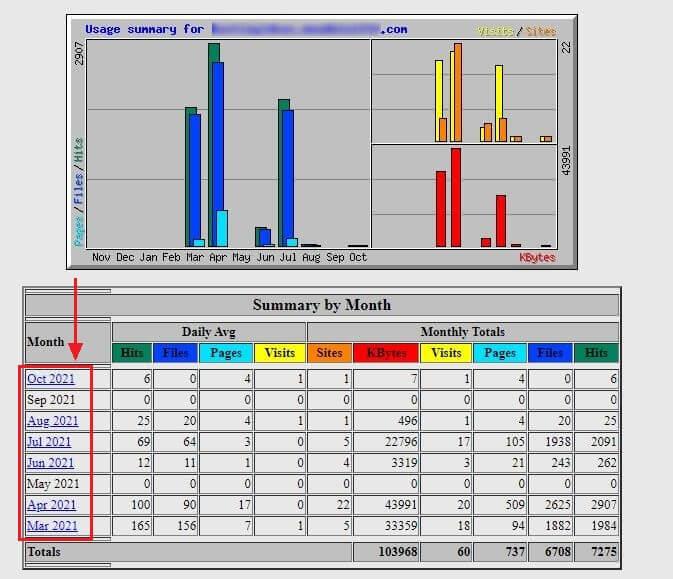
A new tab will open displaying the domain's usage statistics interface. This dashboard provides a comprehensive overview of your website's traffic data.
The Monthly Summary table displays traffic data organized by month. Click on a specific month to view detailed usage statistics for that period, including the number of visits, unique visitors, pages viewed, and more.
The highlighted areas in the interface show reports for specific applications and metrics, providing comprehensive insights into your website's traffic patterns. For example, you can see which countries your visitors are coming from, what browsers they use, and which search engines refer them to your site.
Additional Tips
- Regular Monitoring: Make it a habit to check your Webalizer reports regularly to stay informed about your website's traffic trends.
- Trend Analysis: Use the historical data provided by Webalizer to analyze trends and make informed decisions about optimizing your site for better performance and user engagement.
- Compare Data: Compare statistics from different months or years to identify patterns and areas for improvement in your website's content and SEO strategy.