Plesk allows you to easily switch between different PHP versions and configure PHP settings for your websites. This guide shows you how to change the PHP version and adjust PHP modules and options through the Plesk control panel.
How to do it
-
Step 1: Access Plesk and navigate to Websites & Domains
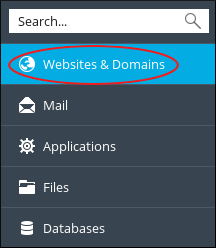
Log in to your Plesk control panel using your credentials. Once logged in, you'll be greeted with the main dashboard. On the left sidebar, locate and click on "Websites & Domains". This section lists all the websites hosted under your account.
-
Step 2: Open the PHP Selector
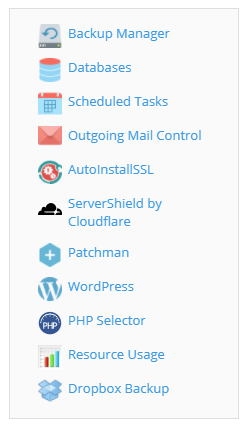
In the list of websites, find the domain for which you want to change the PHP version. Click on it to open its management page. On the right-hand side of this page, look for the "PHP Settings" section and click on the "PHP Selector" icon. This will take you to a new page where you can manage your PHP configuration.
-
Step 3: Change the PHP version
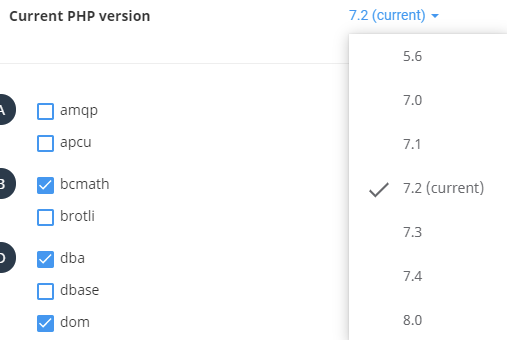
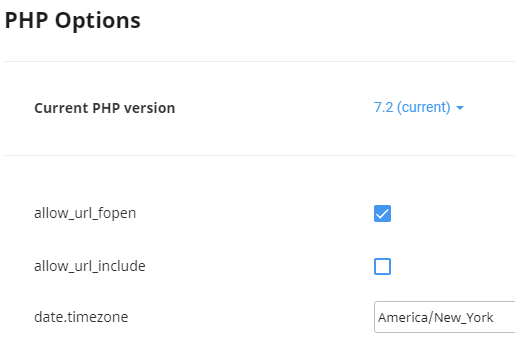
On the PHP Selector page, you'll see a dropdown menu labeled "Current PHP Version". This displays the currently selected PHP version for your domain. Click on this dropdown and select the desired PHP version from the list of available options. After selecting the new version, click the "Set as current" button to apply the change. It's important to ensure that the chosen PHP version is compatible with all scripts and applications running on your website.
-
Step 4: Enable or disable PHP modules (optional)
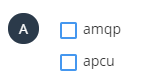
To include or exclude specific PHP modules, scroll down to the "PHP Modules" section. Here, you'll see a list of available modules with checkboxes next to each one. To enable a module, check its corresponding box; to disable it, uncheck the box. This step is optional and should only be performed if you have specific requirements for your website's functionality.
-
Step 5: Adjust PHP options (optional)
To modify additional PHP settings, click on the "Options" tab near the top of the page. This will open a new section with various configuration options for your PHP version. Click on the current value in the right-hand column to input or select your preferred setting. Common settings you might want to adjust include memory limits, execution times, and error reporting levels. After changing each setting, you'll see a confirmation message: "Success, Module () saved." It's crucial to test your website after making these changes to ensure everything is functioning correctly.