Plesk panel allows administrators to enable or disable PHP extensions for their server through an intuitive interface. This guide walks you through the process of managing PHP extensions for any installed PHP version on your Plesk server. Properly configuring these extensions can enhance the functionality of your websites, ensuring they run smoothly with all necessary features enabled.
How to Enable/Disable PHP Extensions
-
Step 1: Access Plesk Administrator Account
Log in to your Plesk administrator account using your credentials. Ensure you have the necessary administrative privileges to make changes to PHP settings.
-
Step 2: Navigate to Tools & Settings
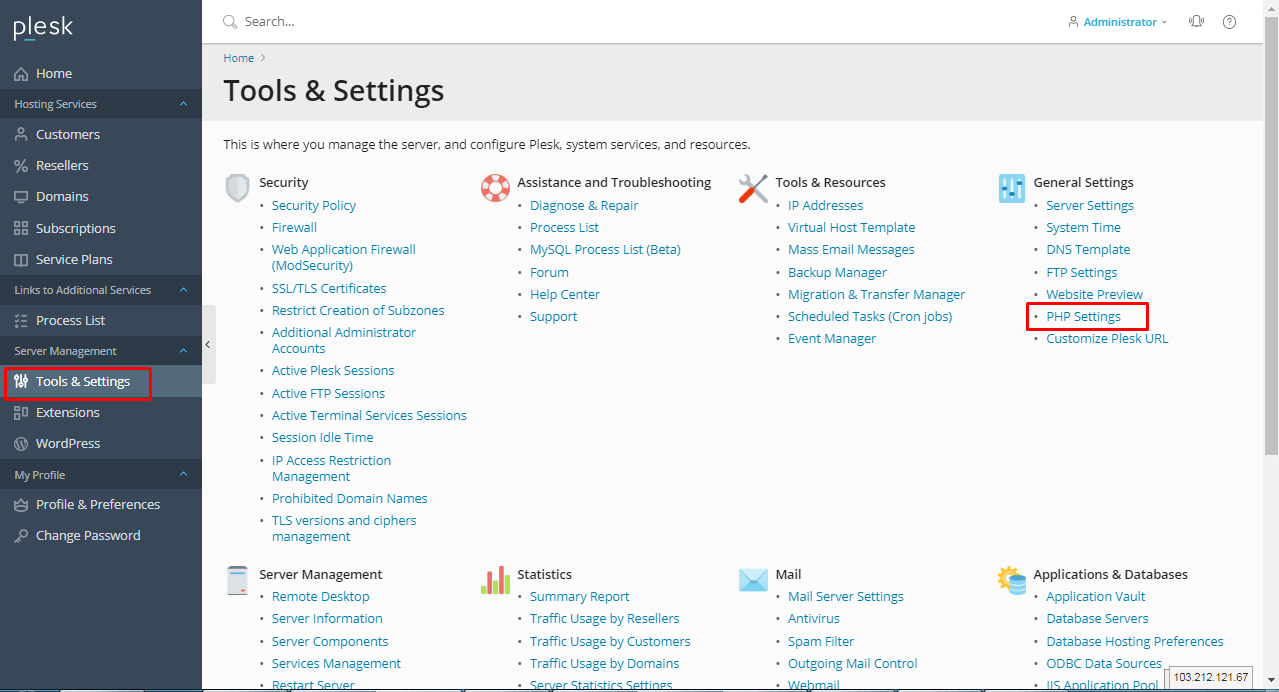
In the main navigation menu, click on Tools & Settings. This section contains various server management tools and configurations.
-
Step 3: Open PHP Settings
Within the Tools & Settings page, find and select General Settings, then click on the PHP Settings section. This will take you to a list of all available PHP versions installed on your server.
-
Step 4: Select PHP Version
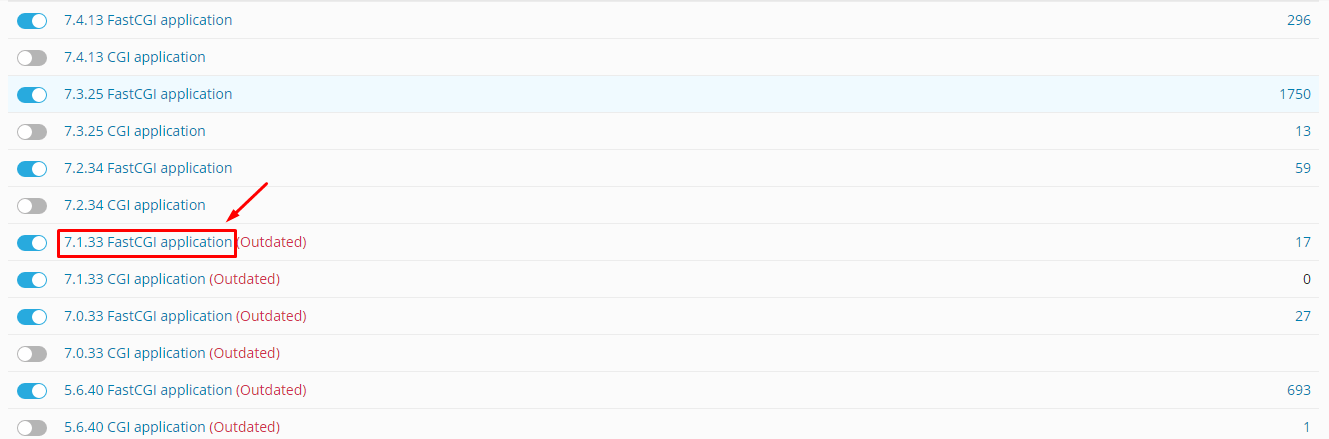
From the list of available PHP versions, click on the specific version you wish to configure. This will open a detailed settings page for that particular PHP version.
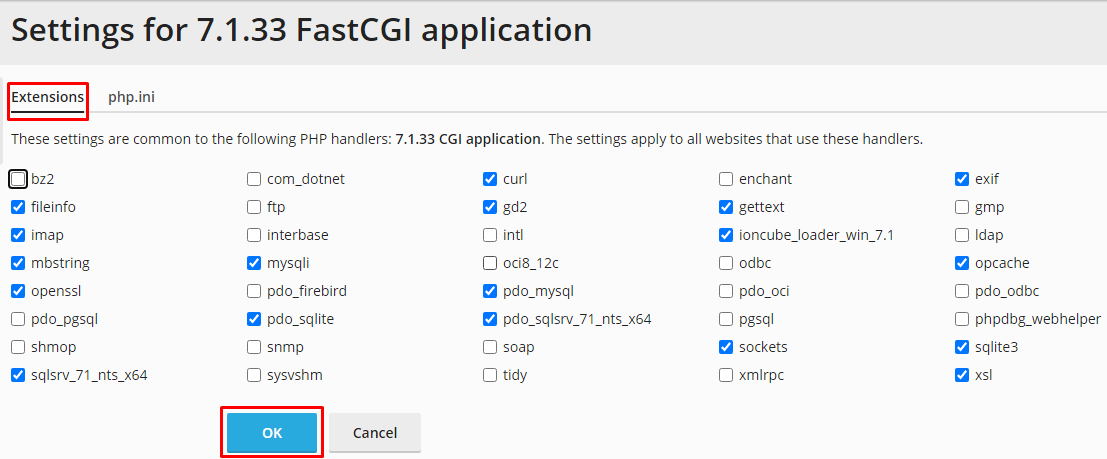
Once you have selected the PHP version, navigate to the Extensions tab. Here, you will see a list of all available PHP extensions for that version.
-
Step 5: Enable or Disable Extensions
To enable an extension, simply check the box next to its name in the list. To disable an extension, uncheck the corresponding box. Some extensions may be critical for your server’s operation and might not allow you to disable them.
Be cautious when disabling extensions, as some may be required by specific applications or scripts running on your server.
-
Step 6: Save Configuration
After making your changes to the PHP extensions, click the OK button at the bottom of the page. Plesk will process your request and apply the new configuration.
It's a good practice to monitor your server for any issues after changing PHP settings or extensions. This ensures that all applications continue to function as expected.
Tips:
- Always back up your server configuration before making changes to PHP settings.
- Consult the documentation of any scripts or applications running on your server to determine which PHP extensions are necessary.
- If you're unsure about a particular extension, it's best to leave it enabled unless you have a specific reason to disable it.