Efficient database management involves monitoring databases for optimal server resource utilization. Occasionally, removal of database users becomes necessary to free up space or revoke access. This guide explains how to delete or remove a database user in Webuzo.
How to Delete a Database User
-
Step 1: Log in to Webuzo
Log in to your Webuzo user account using the credentials provided by your hosting service. Open your web browser and enter your Webuzo control panel URL, typically something like
https://yourdomain.com:2004. Enter your username and password when prompted. -
Step 2: Navigate to Database Management
Once logged in, locate the left-hand navigation menu. Click on the Database section and then select Manage Databases. This will take you to a page where you can manage all your databases.
-
Step 3: Access the Database List
Ensure that the Database(s) tab is active. This will display a list of all databases associated with your account, along with their respective users and other details.
-
Step 4: Select Database to Delete
Find the database from which you want to remove a user. Click on the database name to open its management page. Here, look for the section labeled Database Users. You will see a list of users associated with this database.
To delete a user, locate the trash icon next to the username in the Options column. Click on this icon to initiate the deletion process.
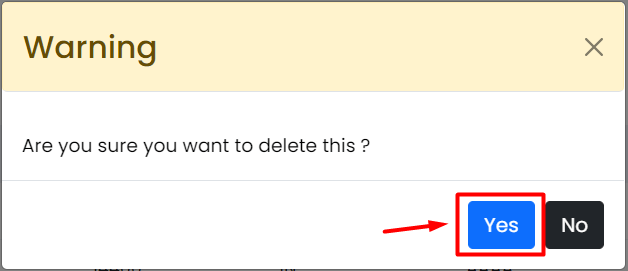
A warning window will appear, prompting you to confirm your decision to delete the user.
-
Step 5: Confirm Deletion
In the confirmation dialog box, click Yes to proceed with the deletion. This action will permanently remove the selected database user from your account.
Webuzo will swiftly delete the user, removing them from the list associated with the database.


Tips:
- Always ensure you have backups of your databases before making any changes to avoid data loss.
- If you are unsure about which user to delete, double-check by reviewing their permissions and roles within the database.
- After deleting a user, consider updating any application configurations that may still be using the deleted credentials.