This guide shows you how to configure password strength requirements for WHM and cPanel users. By setting minimum password complexity standards, you can significantly improve the security of your server and protect user accounts from unauthorized access.
How to Configure Password Strength
-
Step 1: Log in to WHM
Access your WHM control panel using your administrator credentials. Make sure you are using a secure connection (https) and that your browser is up to date.
-
Step 2: Navigate to Security Center
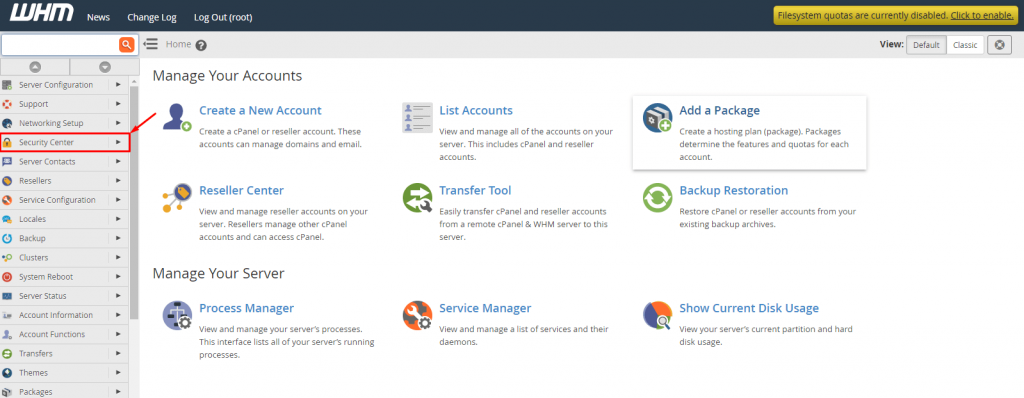
Once logged in, locate the Security Center section on the main dashboard. This is usually found under the "Security" category in the left-hand menu. Click on it to proceed.
-
Step 3: Open Password Strength Configuration
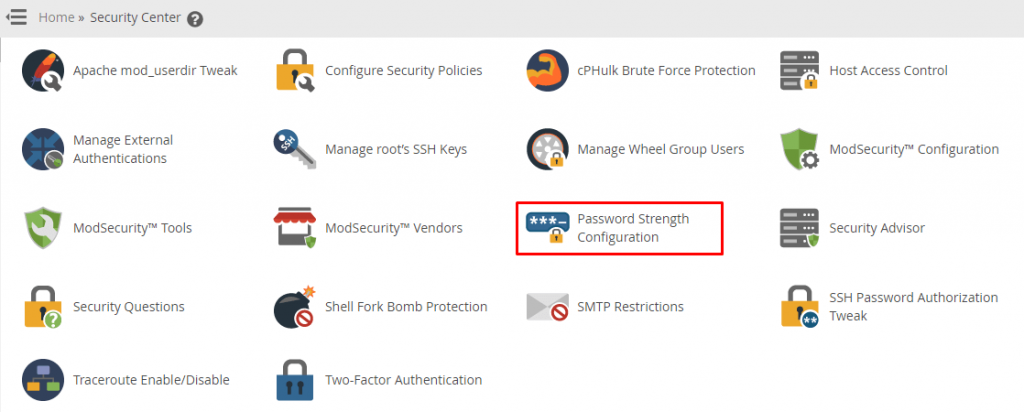
In the Security Center, find and click on Password Strength Configuration. This will open a new page where you can adjust password requirements for your hosting accounts.
-
Step 4: Set the Password Strength Value
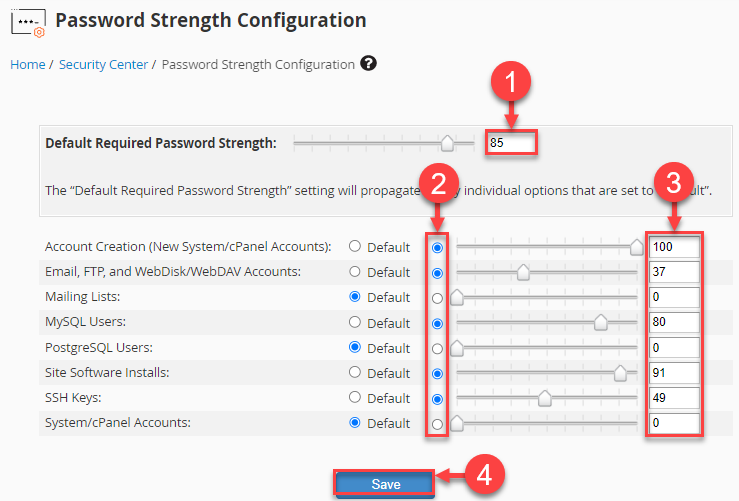
You will see a slider or input field that allows you to set the password strength value. The default setting is usually moderate, but you can adjust it according to your security policies.
To increase the password strength, move the slider to the right or enter a higher number in the text box. A typical recommended minimum strength value is 60. This ensures that passwords meet strong complexity requirements such as including uppercase and lowercase letters, numbers, and special characters.
It's important to find a balance between security and usability. Setting the password strength too high might make it difficult for users to remember their passwords, leading to increased support requests.
-
Step 5: Save Your Configuration
After setting your desired password strength value, click on the Save button. This will apply the new settings across all user accounts under your hosting account.
Additionally, you can configure specific password strength requirements for individual cPanel accounts by logging into each account and navigating to the Password Manager. Here, you can set a custom password policy that differs from the global settings if necessary.
Regularly reviewing and updating your password policies is crucial to maintaining robust security measures. Keep an eye on any new security guidelines or best practices recommended by industry experts.
If you encounter any issues while configuring password strength settings, our support team is available 24/7 to assist you. Don't hesitate to reach out if you need further guidance or assistance.