As a server owner with root access in WHM, you can log in to any reseller client's WHM account to directly configure and manage their hosting services. This guide shows you how to access a reseller's WHM panel from your root account. Managing resellers through WHM allows you to oversee their resources, monitor usage, and troubleshoot issues efficiently.
How to Access a Reseller's WHM Account
-
Step 1: Log in to your WHM root account
To start, open your preferred web browser and navigate to the URL provided by Internetport.se for accessing WHM. Enter your root username and password when prompted. It's crucial to keep your credentials secure and change them regularly to maintain security.
-
Step 2: Navigate to the Resellers section
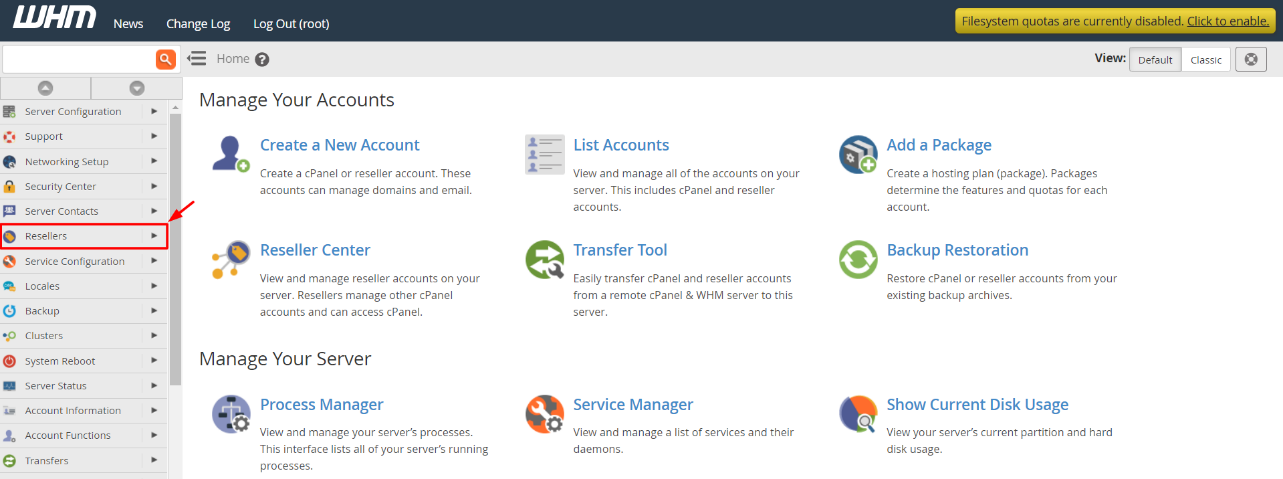
In the WHM menu, locate and click on the Resellers option. This section contains various tools for managing reseller accounts. Ensure you have the necessary permissions before proceeding with any actions.
-
Step 3: Open the Reseller Center
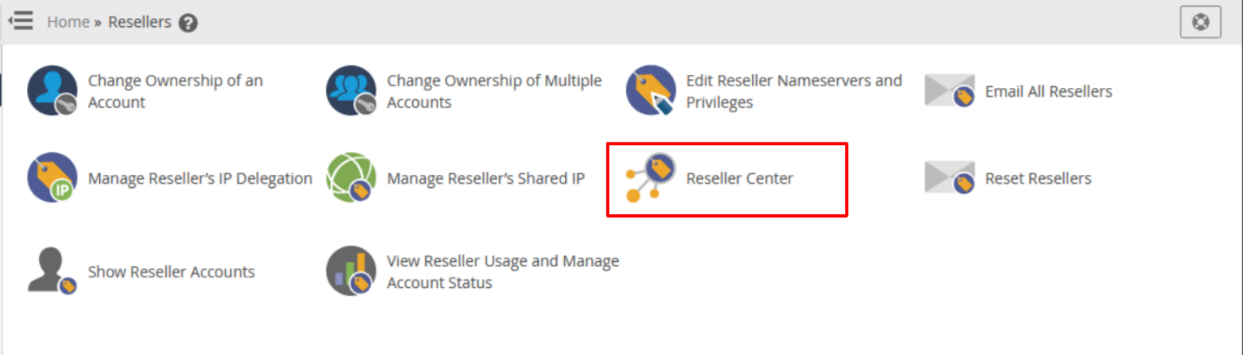
Select the Reseller Center option from the menu. This panel provides an overview of all resellers under your management, including their account details and resource usage.
The Reseller Center panel will be displayed, offering you a comprehensive view of your resellers' accounts.
-
Step 4: Select the reseller account and log in
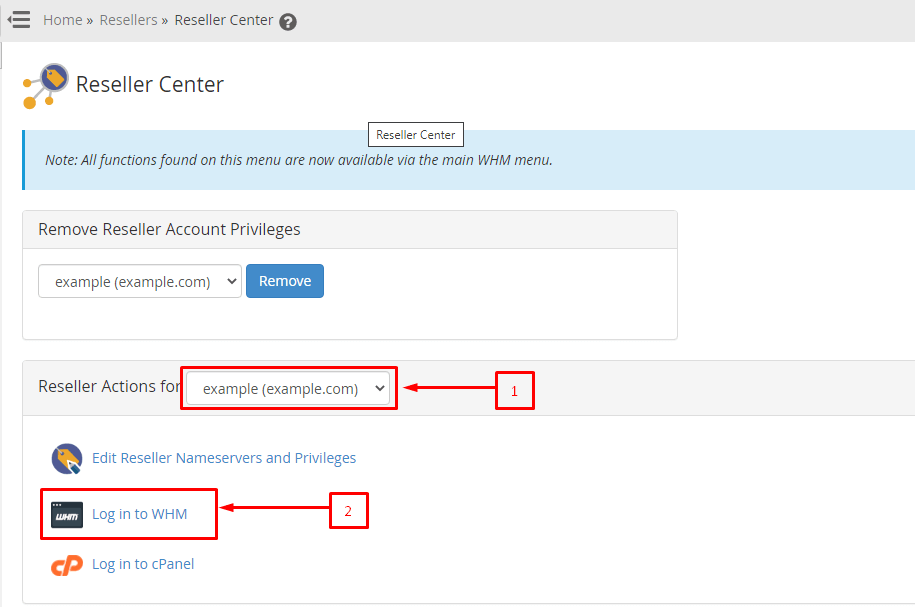
In the Reseller Center, locate the Reseller Actions dropdown list. Browse through the list to find the specific reseller account you wish to access. Once selected, click on Log in to WHM. This action will open a new tab or window displaying the selected reseller's WHM panel.
The reseller's WHM panel interface will open, allowing you to manage their account as if you were the reseller. Here, you can view and adjust settings such as bandwidth usage, domain management, email accounts, and more.
Tip: Always ensure that you have a valid reason for accessing a reseller's WHM account to maintain transparency and trust with your clients. If you're unsure about any actions or configurations, consider reaching out to the reseller first.