As a WHM administrator with root access, you can directly access any user's cPanel account to manage their settings, troubleshoot issues, or perform administrative tasks on their behalf. This guide will walk you through the process step-by-step, ensuring you have all the necessary information to efficiently navigate and use this feature.
How to Do It
-
Step 1: Log in to WHM
Access your WHM root account using your administrator credentials. Ensure you are entering the correct URL, which typically looks like
https://yourserver.com:2087orhttps://yourserverIP:2087. If you encounter any login issues, double-check your credentials and ensure that you have root access. -
Step 2: Navigate to Account Information
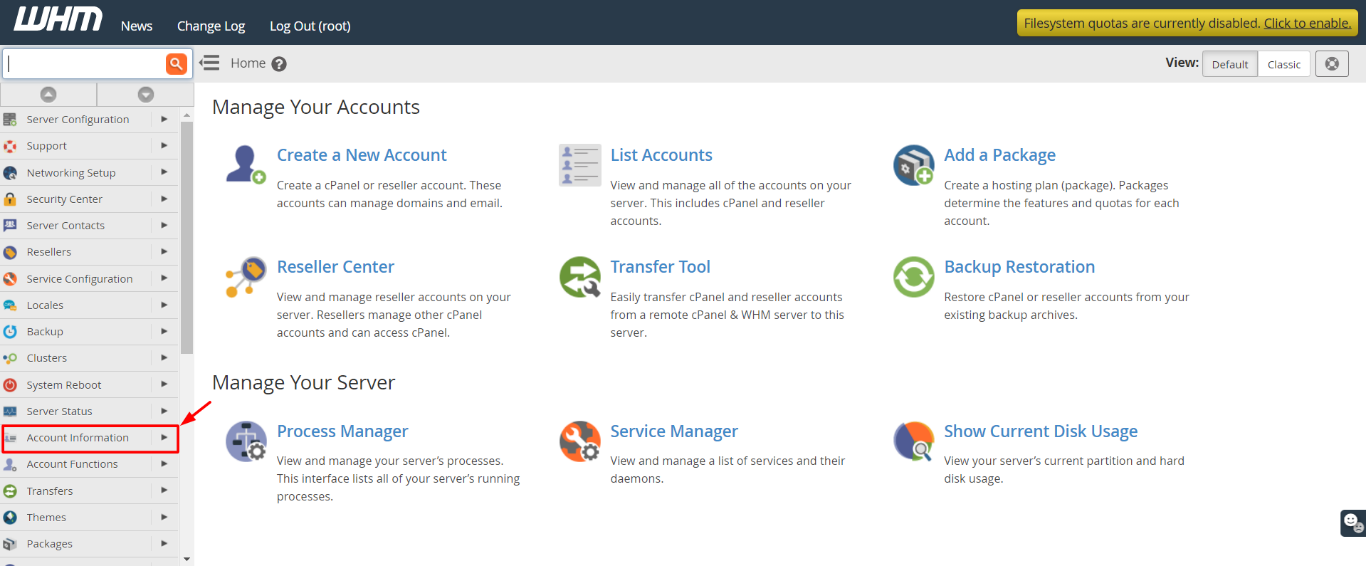
In the WHM navigation menu on the left-hand side of the screen, locate and click on the Account Information section. This area contains various options related to managing user accounts.
-
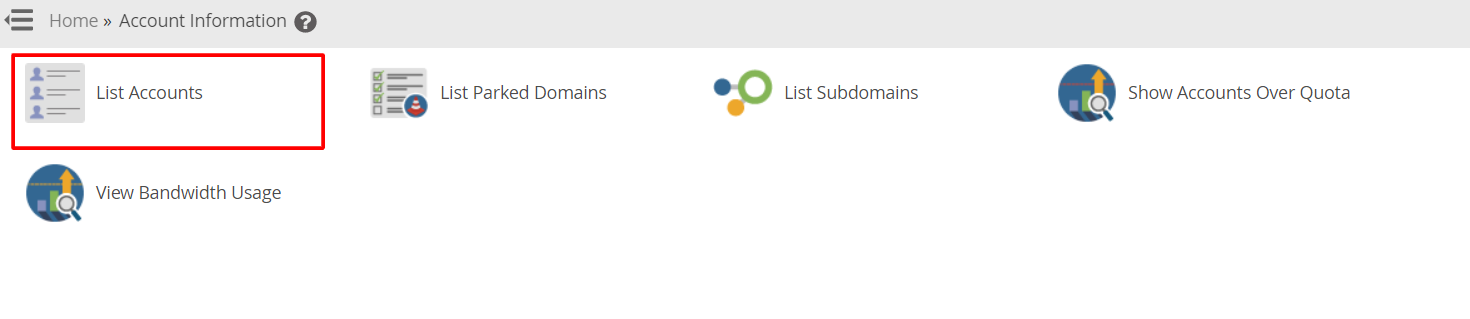
Step 3: Select List Accounts
Choose List Accounts from the available options under the Account Information section. This will display a comprehensive list of all active cPanel user accounts on your server, along with their domain names, IP addresses, and package details.
Use the search bar at the top of the list to quickly find a specific account if you have many users.
-
Step 4: Access the User's cPanel
Locate the user account you wish to access in the list. To do this, look for the domain name or username associated with the account. Once you have found it, click on the cPanel icon, which is represented by a small house icon, next to the account name.
The user's cPanel interface will open in a new browser tab or window, allowing you to manage their account settings and features as if you were logged in as that user. You can perform actions such as modifying email accounts, managing databases, or adjusting security settings.

Tips:
- Always ensure you have the necessary permissions before accessing a user's cPanel account to avoid any unauthorized changes.
- If you need to make extensive changes, consider using the "Change Package" feature in WHM to modify multiple settings at once for the user.
- Keep track of your actions within cPanel by enabling logging or using a change management system to maintain transparency and accountability.