MySQL profiles contain connection information for local or remote MySQL servers. In WHM, root users can create and manage these profiles to configure database access. This guide shows you how to create a new MySQL® profile through the WHM interface.
How to Do It
-
Step 1: Access WHM
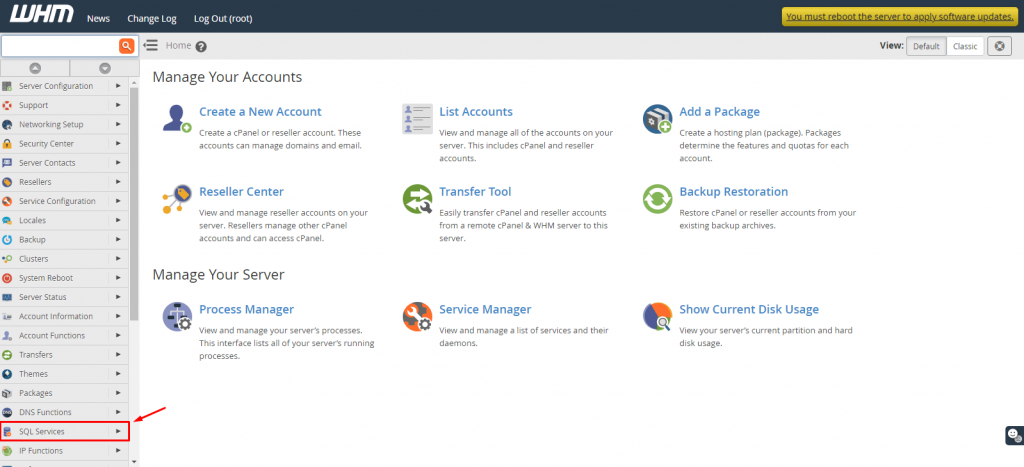
Log in to your WHM root account.
-
Step 2: Navigate to SQL Services
Select SQL Services from the menu.
-
Step 3: Open Profile Management
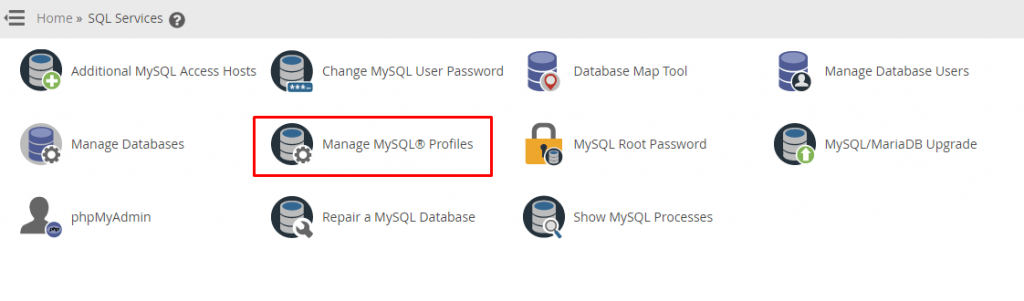
Select Manage MySQL® Profiles.
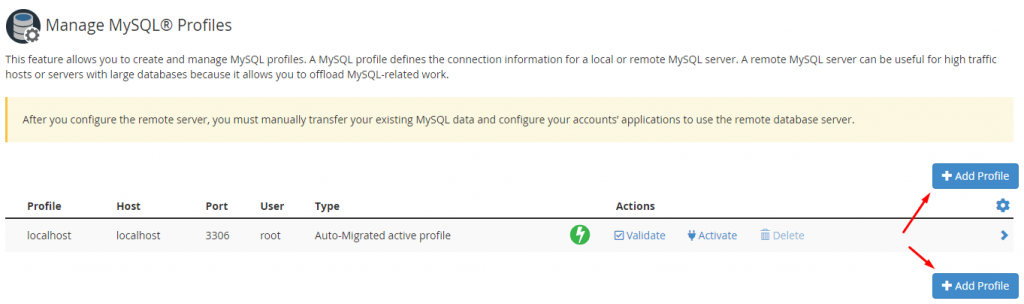
The list of current MySQL® profiles will be displayed.
-
Step 4: Start Creating a New Profile
Click on the +Add Profile button.
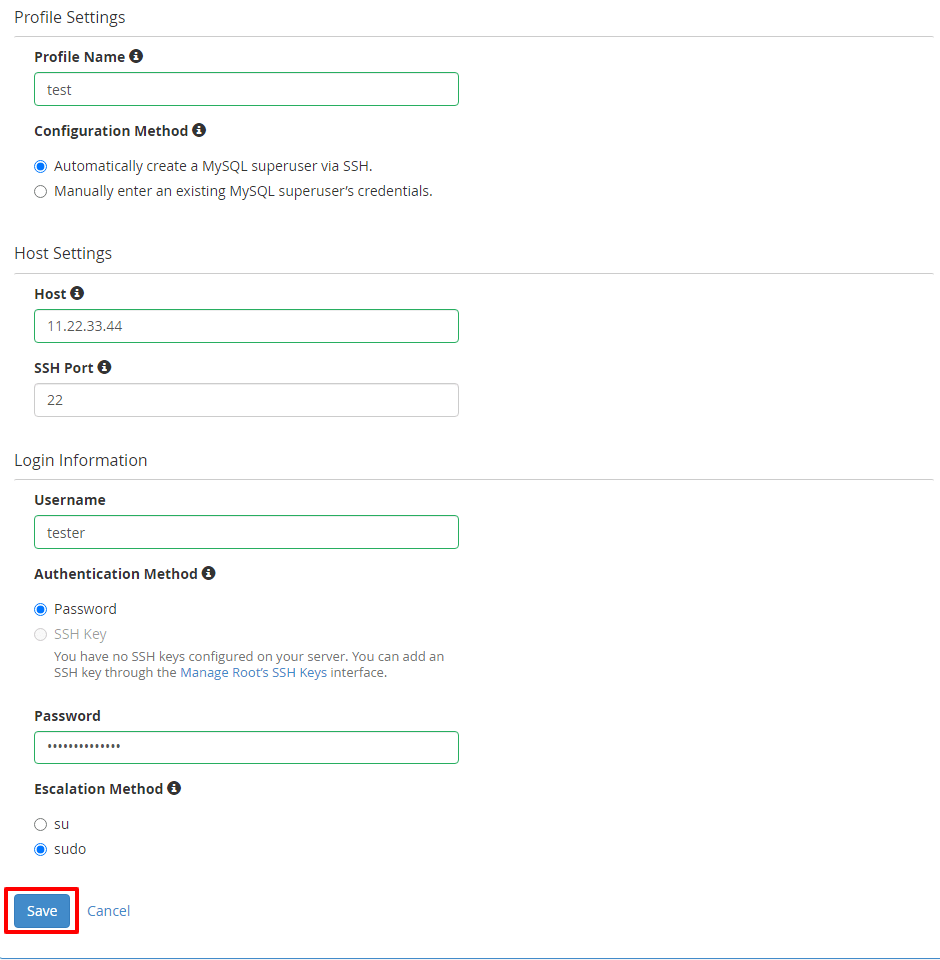
A form will display with the following fields:
- Profile Name: Name for the MySQL profile
- Configuration Method: Choose between automatic or manual creation of a MySQL superuser
- Host: Insert the IP address or hostname of the MySQL server
- SSH Port: SSH server port
- Username: Login user
- Authentication Method: Opt for login via Password/SSH Key
- Password: Password for the profile (if Authentication Method is Password)
- Escalation Method: Improve privileges for non-root users to access the MySQL superuser account
-
Step 5: Save the Profile
Enter the relevant details in the fields and click on Save.
The system will save the details and include the new profile in the list.