If you operate an FTP server, monitoring every connection made by visitors to a specific domain or tracking the files they uploaded and downloaded is made possible through raw access logs. As a WHM user, you can easily download a raw FTP log containing these records in the form of plain text files. This guide will walk you through the process step-by-step, ensuring you have all the necessary information to successfully retrieve your FTP logs.
How to Download Raw FTP Log
-
Step 1: Log in to WHM
To start, open your web browser and enter the URL provided by your hosting service for accessing the Web Host Manager (WHM). Enter your username and password when prompted. It's crucial that you use the root account or an administrative account with sufficient privileges to access server logs.
-
Step 2: Navigate to Account Functions
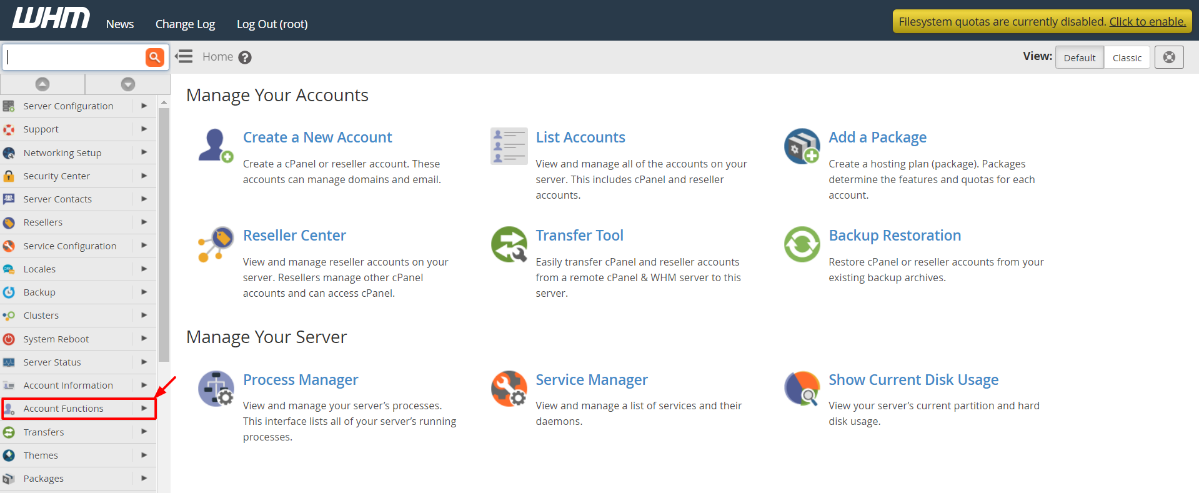
Once logged in, locate the left-hand navigation menu and find the section labeled Account Functions. Click on it to expand the options. This area contains various tools for managing your server's accounts and services.
-
Step 3: Select Raw FTP Log Download
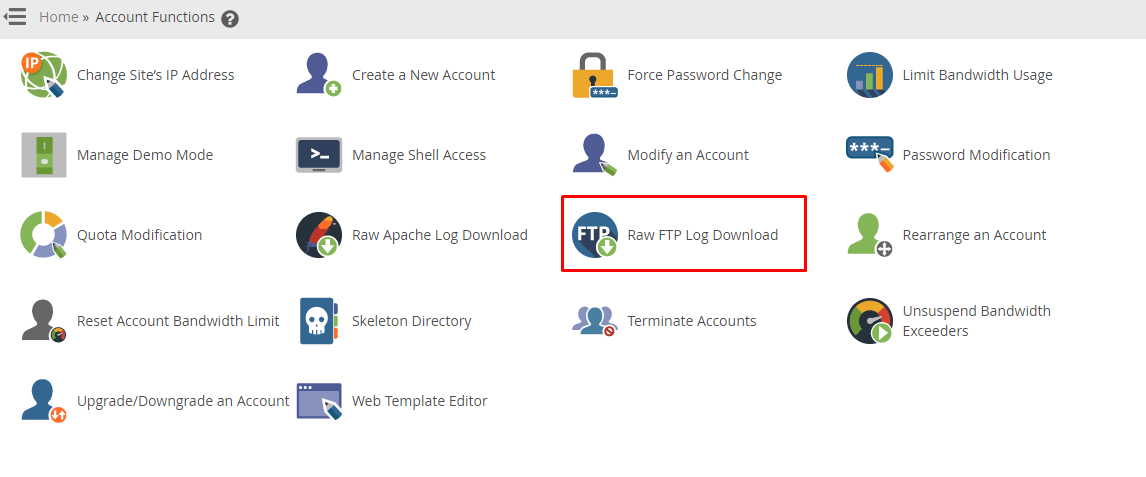
Scroll through the list of options under Account Functions until you find Raw FTP Log Download. Click on this option to proceed. This tool allows you to download detailed logs of all FTP activities for your domains.
-
Step 4: Choose Domain and Download
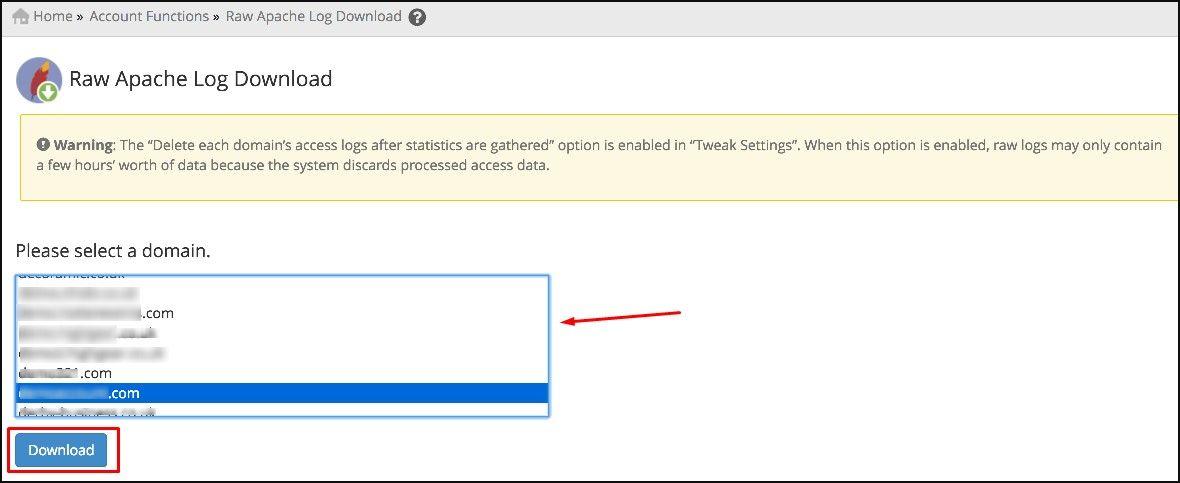
Upon selecting the Raw FTP Log Download option, you'll be presented with a list of all domains associated with your account. Use the dropdown menu to choose the specific domain for which you want to download the FTP log. Once selected, click on the Download button. This action will initiate the download of the raw FTP log file directly to your computer.
WHM will initiate the download of the raw FTP log file to your system. The file is typically in a plain text format, which can be opened and analyzed using any standard text editor or specialized log analysis software.
Tips:
- Ensure that you have sufficient permissions to access the server logs. If you encounter permission issues, contact your hosting provider for assistance.
- The raw FTP logs can be large files, especially if there is a high volume of activity on your domain. Make sure you have enough space on your local storage device before downloading.
- Consider using log analysis software to interpret the data in the raw FTP logs more effectively. Tools like AWStats or Webalizer can help parse and visualize the information contained within these logs.