When importing large MySQL database files, you may need to increase the maximum upload size limit in cPanel. This guide shows you how to adjust the PHP upload size setting through WHM's Tweak Settings interface, allowing you to import database files up to 2,047 MB.
How to do it
-
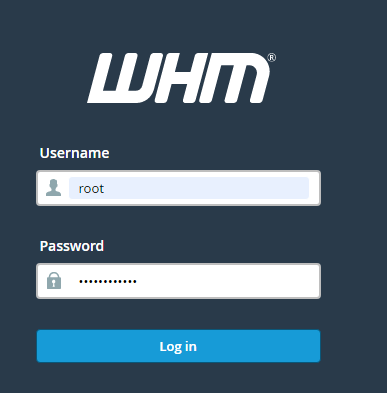
Step 1: Access WHM
Log in to your WHM with root access. You can typically find the login link on your hosting provider's control panel or by visiting
https://your-server-ip:2087. Ensure you use a secure connection (HTTPS). -
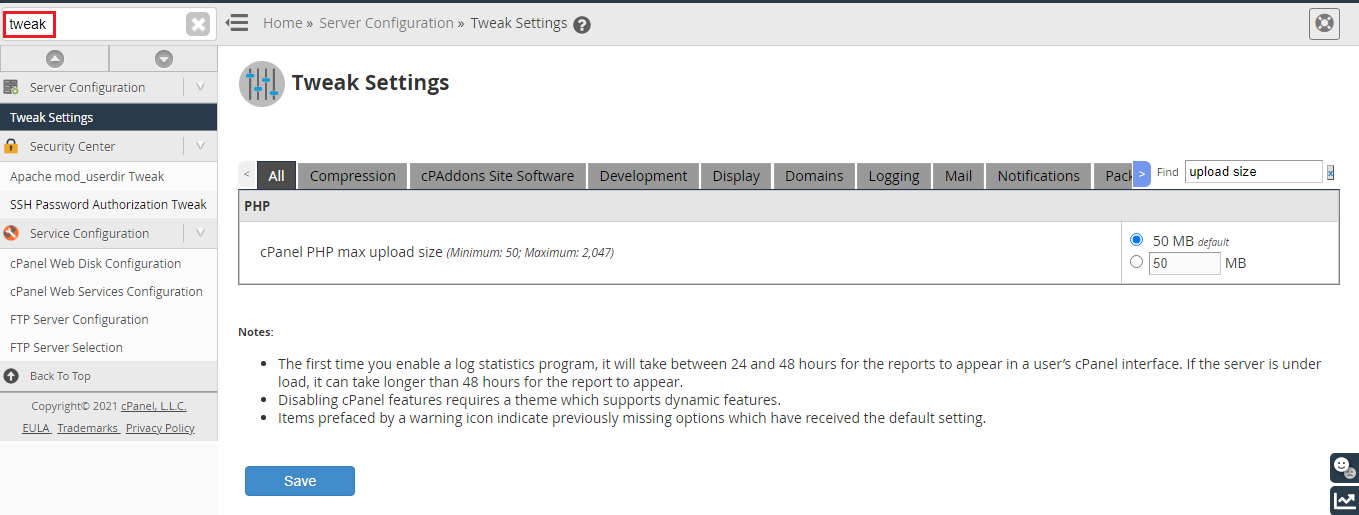
Step 2: Search for Tweak Settings
In the search bar at the top of WHM, enter "Tweak" to locate the Tweak Settings option. This will help you quickly find the settings menu without scrolling through all options.
-
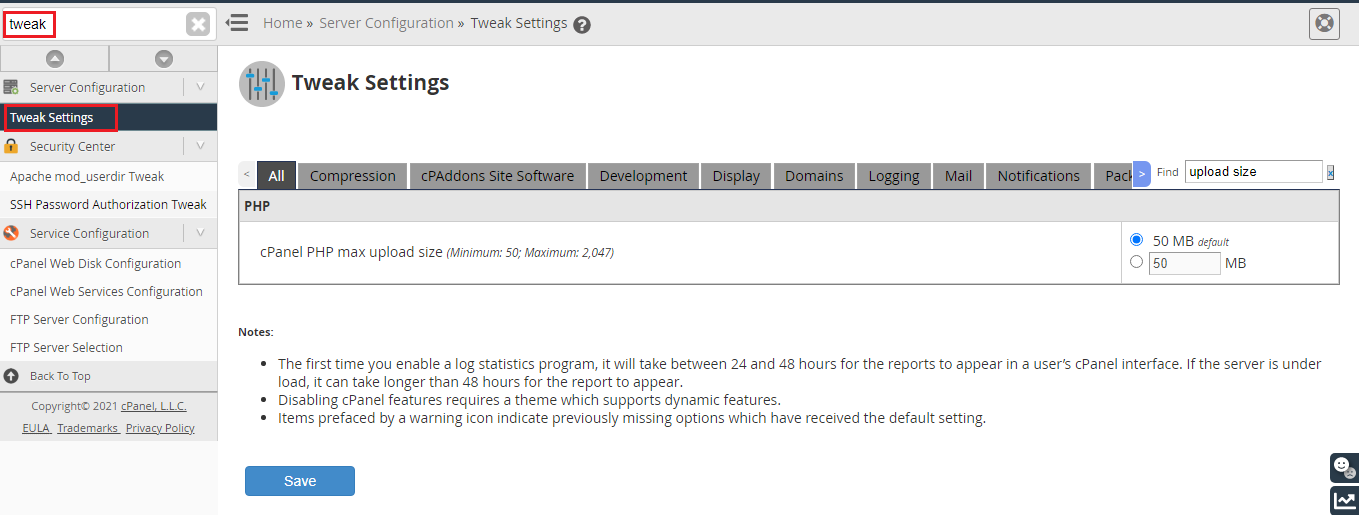
Step 3: Open Tweak Settings
Click on "Tweak Settings" from the search results. This will take you to a page where various server configuration settings can be adjusted.
-
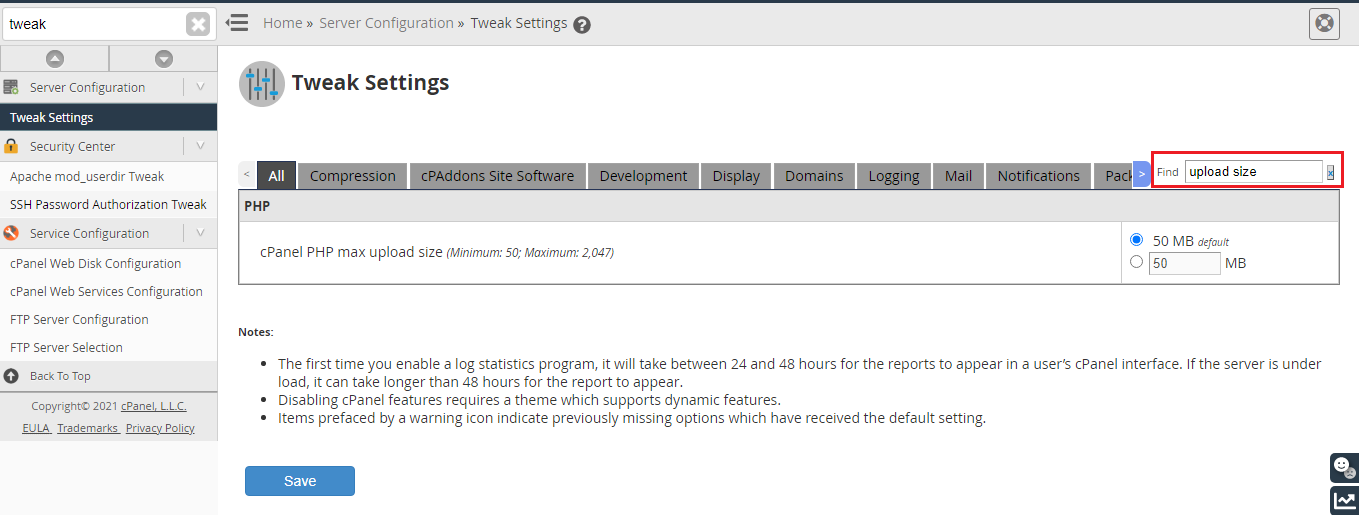
Step 4: Find the upload size setting
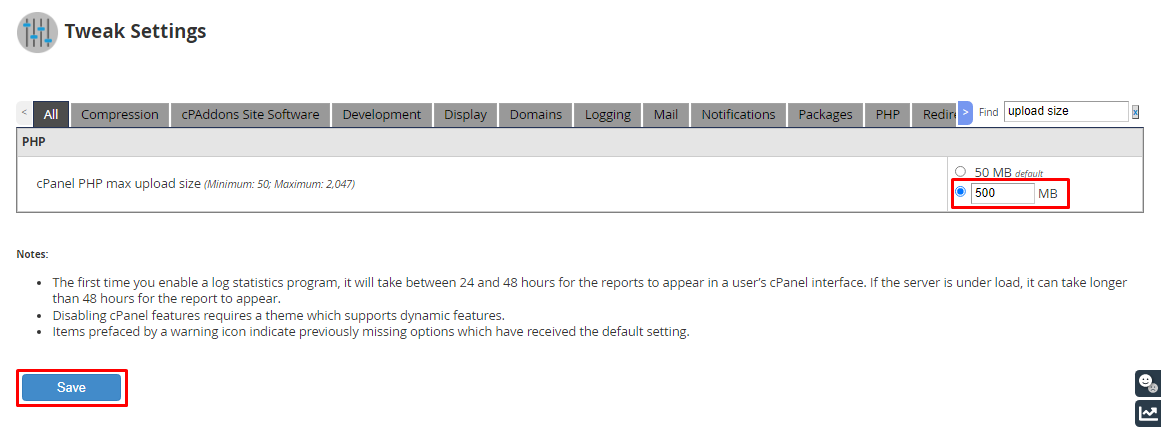
In the Tweak Settings page, use the search field to locate "upload size". This will filter the settings and bring you directly to the relevant section.
-
Step 5: Adjust and save the setting
Set the cPanel PHP maximum upload size to your desired value. You can choose any value between 50 and 2,047 MB. It's recommended to set this to a value that accommodates your largest database file but not excessively high to avoid potential server strain.
After setting the desired upload size, click the Save button to apply the changes. The system may take some time to apply these changes, depending on server conditions. Once complete, you can proceed to upload your database without any issues.
Tips for Efficient Database Management
- Optimize Your Database: Before uploading a large database file, consider optimizing it by removing unnecessary data and compressing it if possible. This can reduce the file size and speed up the upload process.
- Use phpMyAdmin for Smaller Files: For smaller databases, using phpMyAdmin directly from cPanel might be more convenient than uploading a large SQL file.
- Backup Regularly: Always ensure you have a recent backup of your existing database before making any changes or importing new data. This can prevent data loss in case something goes wrong during the import process.