This guide explains how to install RPM (Red Hat Package Manager) packages through WHM's web interface. RPM packages contain binary executables, configuration files, and documentation for installing software on Red Hat-based Linux systems. Root access to WHM is required to perform this installation.
How to Install an RPM Package
-
Step 1: Access WHM as root
Log in to WHM using your root account credentials. Ensure you are accessing the correct server and that you have the necessary permissions. If you're unsure of your login details, contact your hosting provider.
-
Step 2: Navigate to Software section
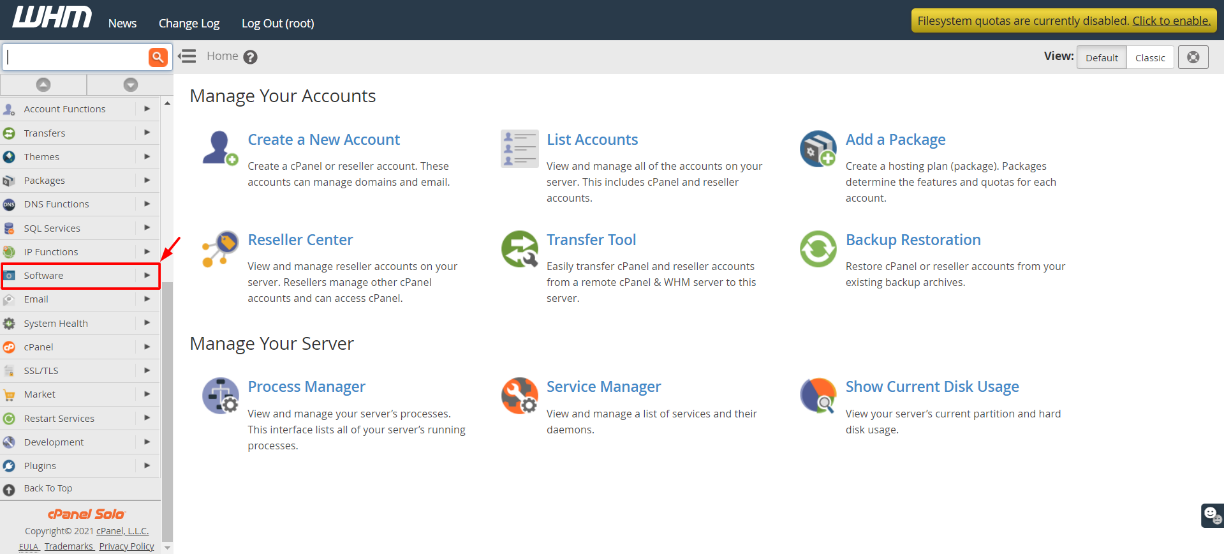
In the WHM interface, locate and click on the "Software" option in the left sidebar menu. This section contains various tools for managing software on your server, including package management.
-
Step 3: Open RPM installation interface
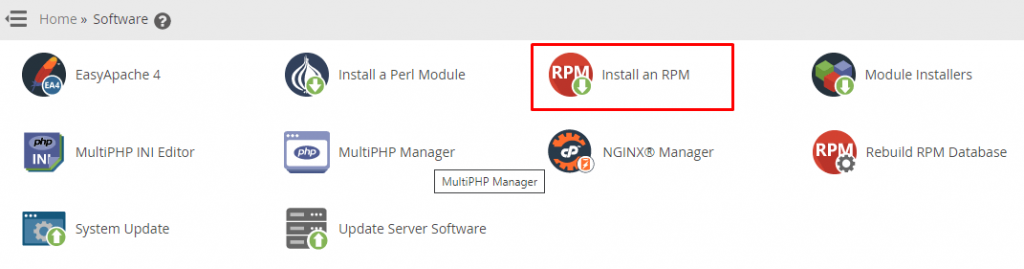
Select "Install an RPM" from the available options. This will take you to a page where you can upload and install new RPM packages on your server.
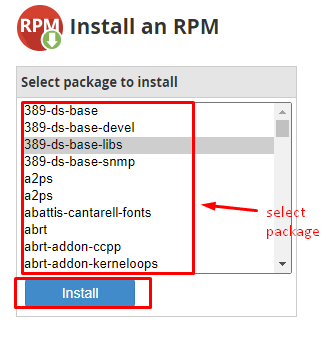
WHM will display a form where you can upload your RPM file. You can either drag and drop the file into the designated area or use the "Choose File" button to browse for it on your local computer.
-
Step 4: Select and install the package
After selecting your RPM file, click the "Install Now" button. WHM will begin processing the installation. This may take a few moments depending on the size of the package.
Once the installation is complete, WHM will display a message indicating success or any errors that occurred during the process. It's important to review these messages as they can provide valuable information about the installation.
Tips and Additional Information
- Ensure that the RPM package you are installing is compatible with your server's operating system version.
- Before uploading an RPM file, verify its integrity using a checksum or digital signature to ensure it hasn't been tampered with.
- If you encounter errors during installation, consult WHM's error logs for more detailed information. You can find these logs in the "Logs" section of WHM.
- For advanced users, consider using command-line tools such as
yumorrpmfor installing packages directly from the server terminal.