The XMLDiff module is a tool designed for merging distinct XML files. WHM root users can install it as a PECL module through the WHM interface. This guide walks you through the installation process step by step, ensuring that you have all necessary information to complete the task smoothly.
How to Install
-
Step 1: Access WHM
Log in to WHM using your root access credentials. Ensure that you are accessing the correct server if you manage multiple servers through a single WHM account.
-
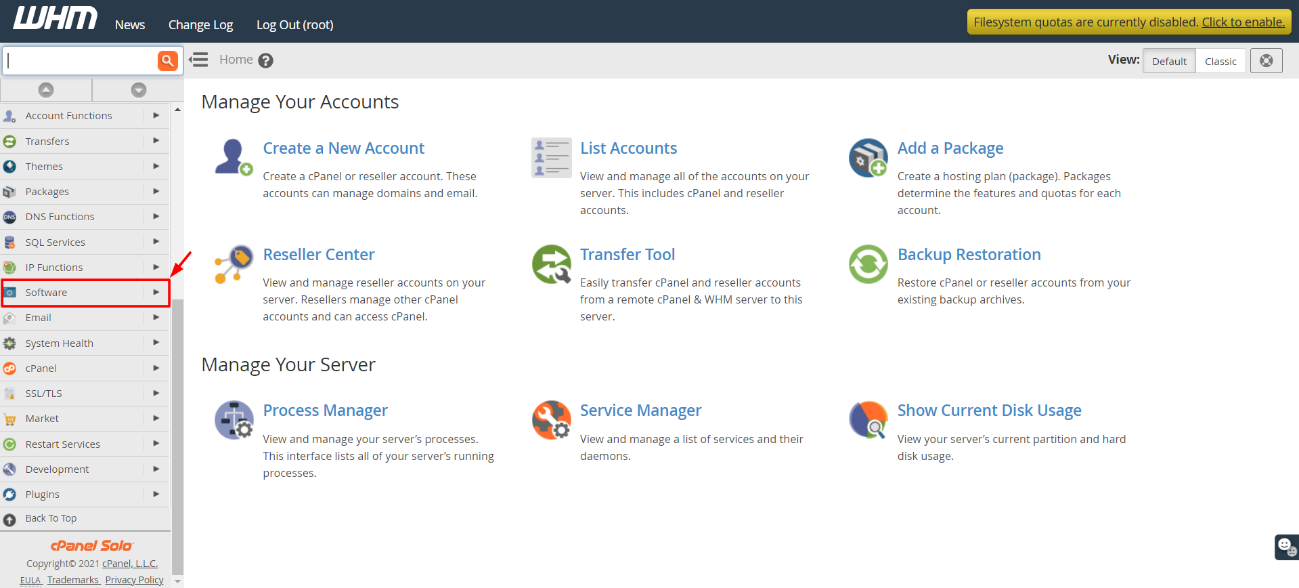
Step 2: Navigate to Software Section
In the main menu, locate and click on the "Software" option. This section contains various tools for managing server software and configurations.
-
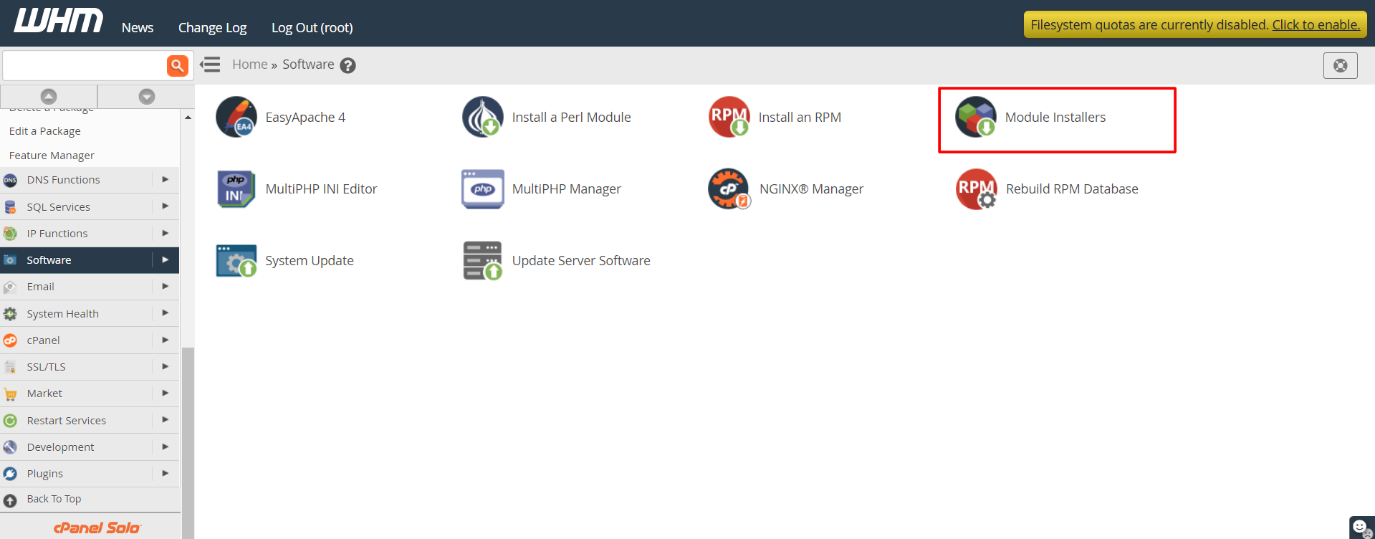
Step 3: Open Module Installers
Within the Software section, find and click on "Module Installers." This page lists various module installers for different programming languages.
-
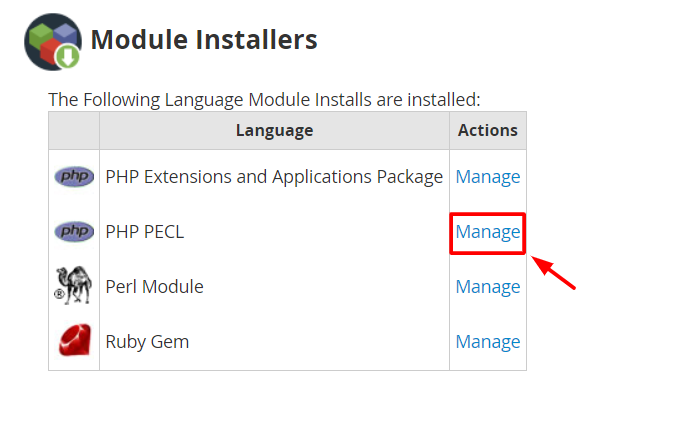
Step 4: Access PHP PECL Manager
From the list of Language Module Installs, click on "Manage" next to PHP PECL. This will take you to the PHP PECL Manager where you can install and manage PECL modules.
-
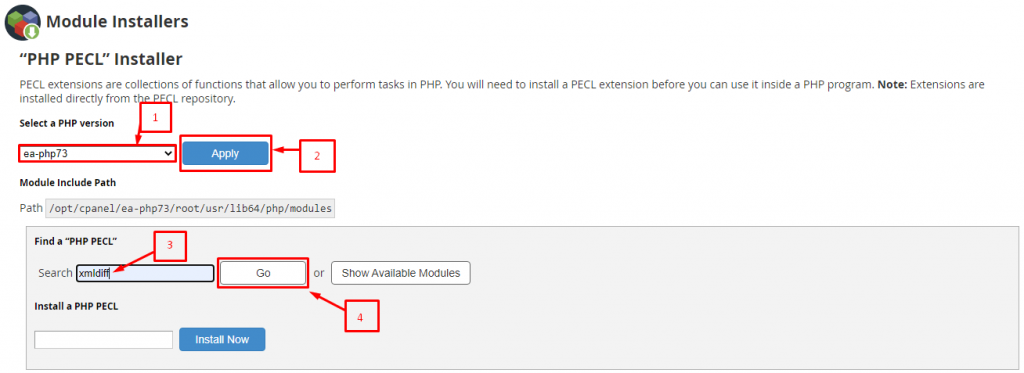
Step 5: Select PHP Version
In the PHP PECL Manager, you will see a dropdown menu for selecting the PHP version. Choose the appropriate version that matches your server's configuration or the specific application requirements. Click "Apply" to filter the available modules according to the selected PHP version.
-
Step 6: Search for XMLDiff
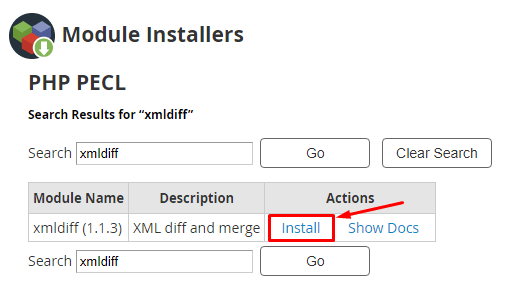
In the search box provided, type "XMLDiff" and click the "Go" button. This will initiate a search through the available PECL modules to find the XMLDiff extension. The module should appear in the search results.
-
Step 7: Install the Module
Once you find XMLDiff in the list, click on "Install" under the Actions column next to it. This action will start the installation process.
The installation process will begin immediately. After a few seconds, WHM will finalize the installation of the XMLDiff module for PHP PECL and display a success message. If you encounter any errors during installation, review the error messages provided by WHM to troubleshoot.
Tips:
- Ensure that your server has the necessary dependencies installed before attempting to install XMLDiff. Lack of dependencies can cause installation failures.
- After installing the module, restart your web server (Apache or Nginx) to ensure that PHP recognizes the new extension.
- If you are unsure about which PHP version to select, check with your hosting provider or consult the documentation for the application that requires XMLDiff.