Experiencing issues with your database? This guide outlines three methods for repairing a MySQL database using cPanel, WHM, or phpMyAdmin. Choose the approach that best fits your comfort level and restore your database to optimal condition.
How to do it
Method 1: Repair via cPanel
-
Step 1: Access MySQL Databases
Log in to your cPanel account and navigate to the "MySQL Databases" section. This is typically found under the "Databases" category on the main dashboard.
-
Step 2: Select the database
Locate and select the database you want to repair from the list. You can identify your databases by their names or descriptions. Click on the database name to view its details.
-
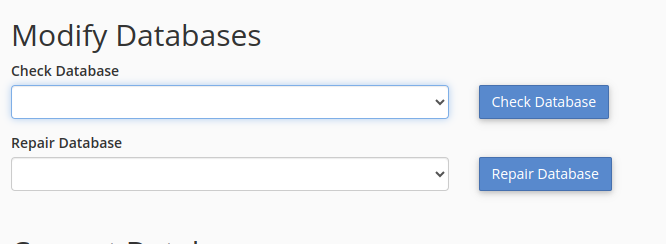
Step 3: Repair the database
Once you have selected your database, look for a "Repair Database" button or link. Clicking this will initiate the repair process. This operation may take some time depending on the size of the database.
Method 2: Repair via WHM
-
Step 1: Access WHM
Log in to your Web Host Manager (WHM) account. This is usually done through a dedicated URL provided by your hosting provider.
-
Step 2: Find repair tool
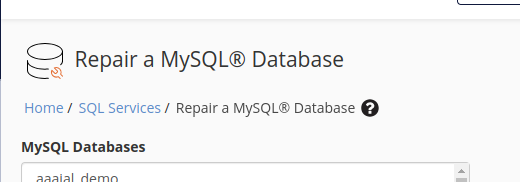
In the WHM interface, use the search bar at the top to find "Repair a MySQL Database." Once you see it in the list of results, click on the link to open the repair utility.
-
Step 3: Repair the database
Select the database from the dropdown menu provided. After selecting the database, click "Repair Database" to start the repair process. WHM will handle the rest and notify you once it's completed.
Method 3: Repair via phpMyAdmin
-
Step 1: Access phpMyAdmin
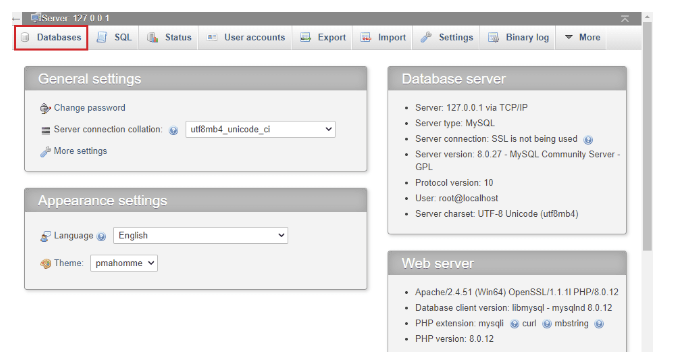
To access phpMyAdmin, log in to your WHM account and navigate to the "Databases" section. Click on the "phpMyAdmin" icon or link provided there.
-
Step 2: Select tables
Once logged into phpMyAdmin, select the database you wish to repair from the sidebar on the left. Then, check the boxes next to the specific tables within that database that need repairing. If you want to repair all tables in the database, you can select them all at once.
-
Step 3: Repair selected tables
With your tables selected, look for a "With selected" dropdown menu near the bottom of the page. Click on this menu and choose the "Repair Table" option from the list. phpMyAdmin will then attempt to repair the selected tables.
Tips:
- Always back up your database before performing repair operations. This ensures you have a restore point in case something goes wrong.
- If you're unsure about which tables or databases need repairing, it's best to consult with a developer or your hosting provider.
- Regular maintenance can help prevent database issues. Consider setting up automated backups and monitoring tools.