ConfigServer Security & Firewall (CSF) is an advanced web security application available to WHM users with root access. One of its useful features is the ability to search through system logs for specific files, IP addresses, or other information to troubleshoot security events or investigate server activity.
How to Do It
-
Step 1: Log in to WHM
Log in to your root account of WHM using the provided credentials. Ensure you are accessing the correct server by checking the URL.
-
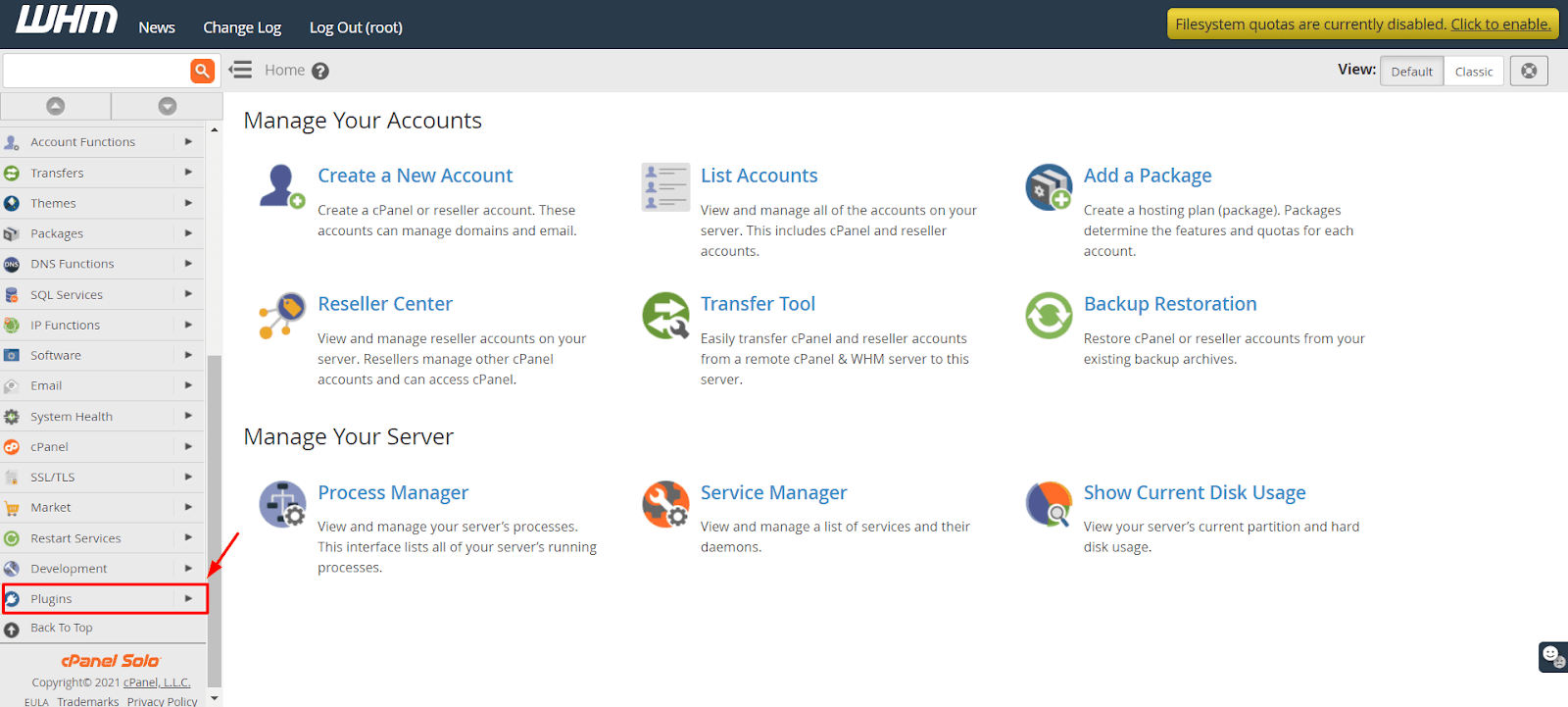
Step 2: Navigate to Plugins
Select the Plugins option from the navigation menu. This section contains various plugins and modules that can be managed through WHM, including CSF.
-
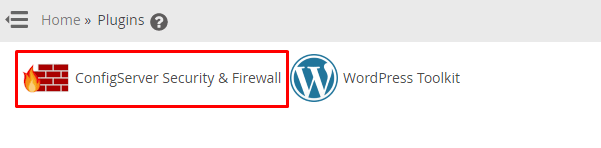
Step 3: Open ConfigServer Security & Firewall
Click on ConfigServer Security & Firewall. This will redirect you to the main interface of CSF, where you can manage firewall rules and monitor security events.
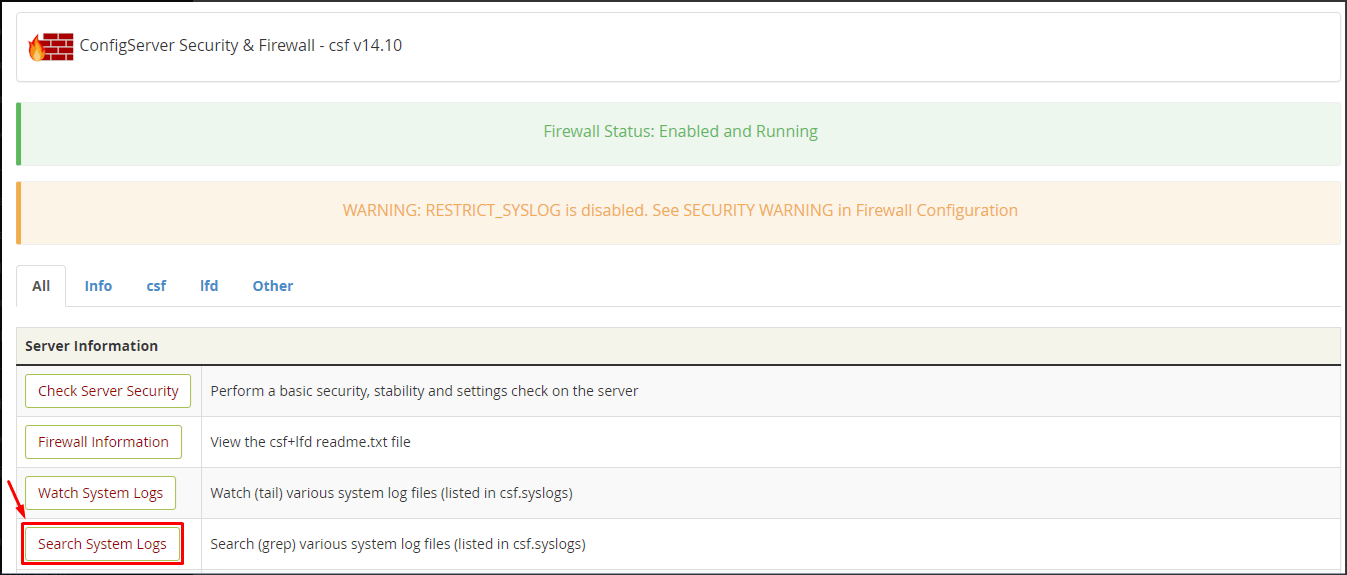
The CSF interface will open, providing you with an overview of your server's security status and options to configure settings.
-
Step 4: Access Search System Logs
Click the Search System Logs button. This feature allows you to search through various system logs maintained by CSF for specific entries or patterns.
-
Step 5: Configure and Execute Search
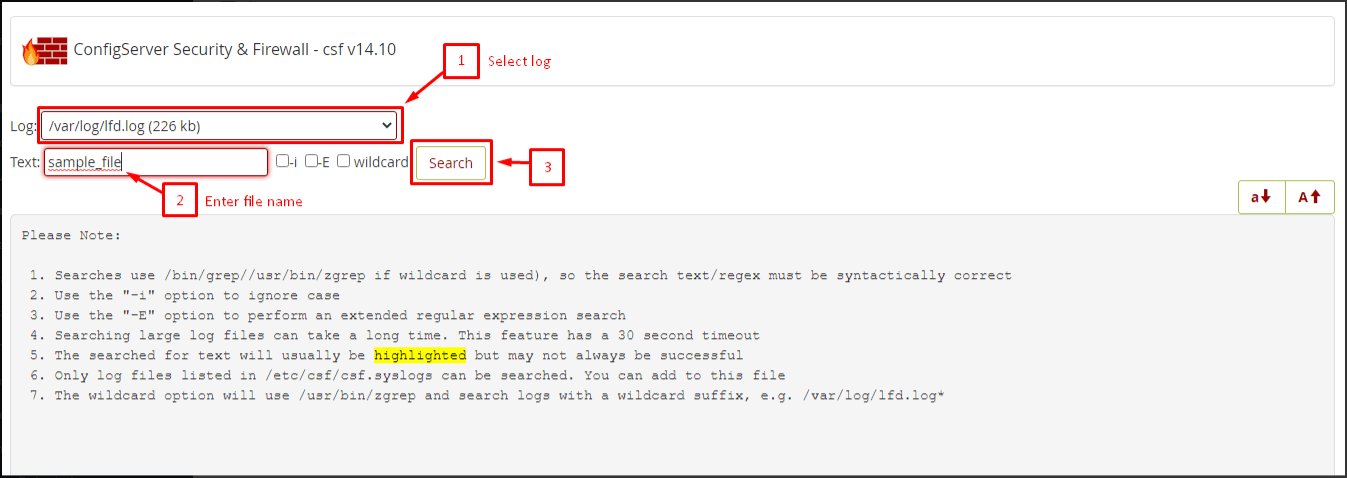
You will find the search options for the CSF log:
- Select the Log to refer for the search. Common logs include lfd.log, which contains actions taken by the login failure daemon, and xscripts.log, which records script activity.
- Enter the file name or other text to search in the Text field. For example, if you are searching for a specific IP address, enter it here. You can also use regular expressions for more complex searches.
- Click on Search. The system will process your request and display matching entries from the selected log file.
The search results will display matching entries from the selected log file. Review these entries carefully to understand the context and determine any necessary actions.
Tip: The notes that CSF provides may come in handy when looking through logs, as they often contain context about security events and blocked connections. Additionally, consider using filters or sorting options if available to refine your search results for quicker analysis.