If you need to cancel your broadband service with Internetport, you can do so easily through the customer portal. There is a standard 1-month notice period unless otherwise agreed. This guide walks you through the cancellation process step by step.
How to cancel your service
-
Step 1: Log in to the customer portal
Access the Internetport customer portal using your login credentials. If you haven't registered yet, you can do so by clicking on the "Register" link at the top of the homepage and following the instructions provided.
-
Step 2: Navigate to service cancellation
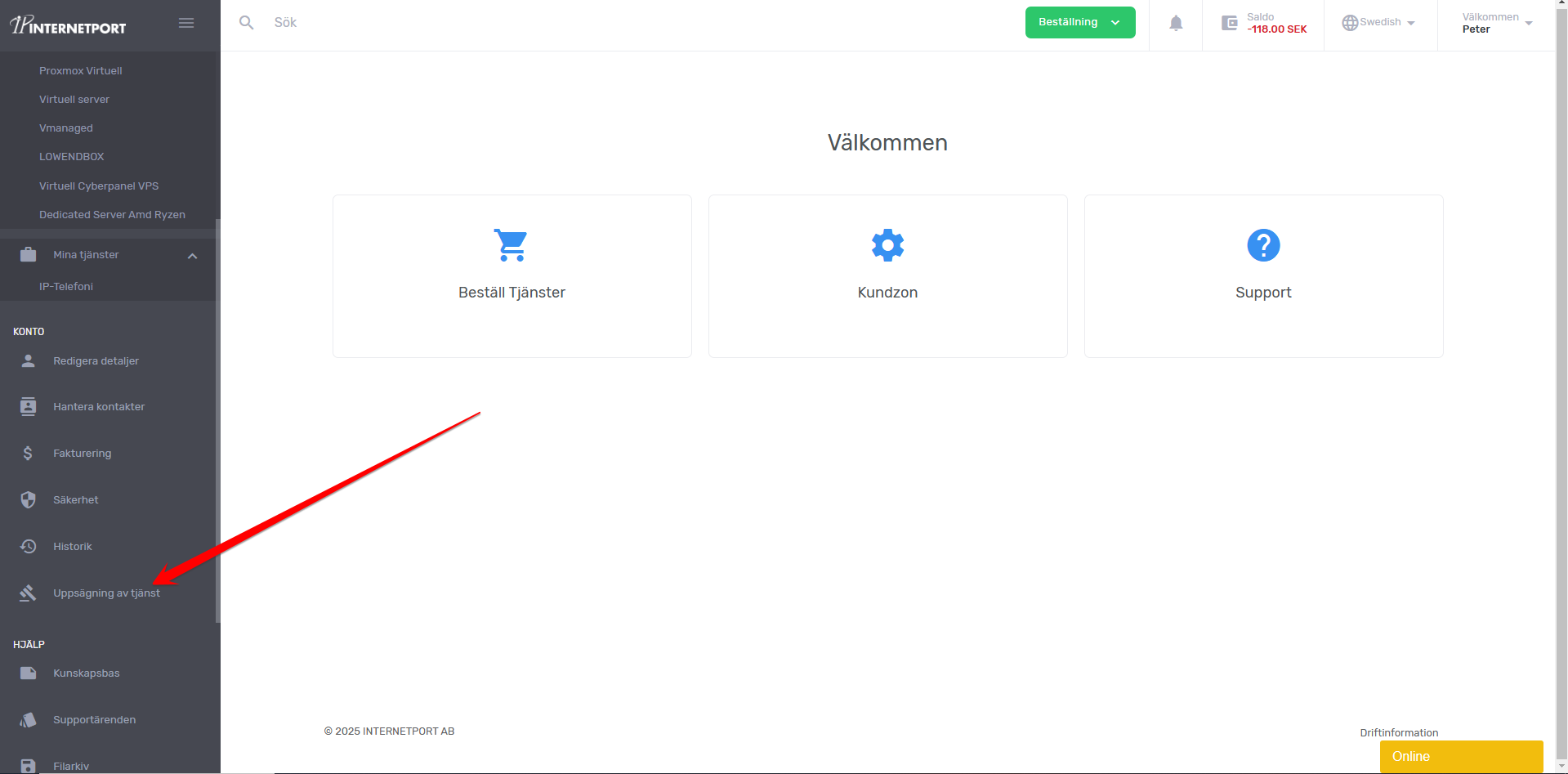
Once logged in, locate the main menu on the left-hand side or at the top of the page. Click on "My Services" and then select "Cancel Service" from the dropdown menu. Alternatively, you can use the search bar at the top right corner of the portal to type "cancel service" and press Enter.
-
Step 3: Select the service to cancel
In the cancellation section, you will see a list of all active services associated with your account. Carefully review each service and select the one you wish to terminate by clicking on it or checking the corresponding box next to it.
-
Step 4: Choose termination date
After selecting the service, you will be prompted to choose a termination date. The earliest available date will automatically be set based on the 1-month notice period. If you need to cancel sooner or later than this date, you can adjust it using the calendar provided. Ensure that your new termination date aligns with your plans and financial commitments.
Additional Tips:
- Review Your Contract: Before proceeding with cancellation, review your contract terms to ensure there are no penalties or additional fees for early termination.
- Contact Support: If you encounter any issues during the cancellation process, do not hesitate to contact Internetport's customer support. You can reach them via phone, email, or live chat from within the portal.
- Backup Your Data: Before your service is terminated, make sure to back up all important data and ensure that you have alternative internet access if necessary.
By following these steps, you can smoothly cancel your broadband service with Internetport. We appreciate your business and hope to serve you again in the future.